ISO8583 Converter 2528 views
Official guidelines, security procedures, and compliance standards.
AUP stipulates the constraints and practices that an employee using organizational IT assets must agree to in order to access to the corporate network or the internet. It is standard onboarding policy for new employees. They are given an AUP to read and sign before being granted a network ID.
naPay policy based on Acceptable Use Policy by SANS Institute 2014 All Rights Reserved
Resource Community Acceptable Use Policy Free Use Disclaimer: This policy was created by or for the SANS Institute for the Internet community. All or parts of this policy can be freely used for your organization. There is no prior approval required. If you would like to contribute a new policy or updated version of this policy, please send email to policy-resources@sans.org. Last Update Status: Updated June 2014
1. Overview Infosecs intentions for publishing an Acceptable Use Policy are not to impose restrictions that are contrary to neaPays established culture of openness, trust and integrity. Infosec is committed to protecting neaPay's employees, partners and the company from illegal or damaging actions by individuals, either knowingly or unknowingly. Internet/Intranet/Extranet-related systems, including but not limited to computer equipment, software, operating systems, storage media, network accounts providing electronic mail, WWW browsing, and FTP, are the property of neaPay. These systems are to be used for business purposes in serving the interests of the company, and of our clients and customers in the course of normal operations. Please review Human Resources policies for further details. Effective security is a team effort involving the participation and support of every neaPay employee and affiliate who deals with information and/or information systems. It is the responsibility of every computer user to know these guidelines, and to conduct their activities accordingly.
2. Purpose The purpose of this policy is to outline the acceptable use of computer equipment at neaPay. These rules are in place to protect the employee and neaPay. Inappropriate use exposes neaPay to risks including virus attacks, compromise of network systems and services, and legal issues.
3. Scope This policy applies to the use of information, electronic and computing devices, and network resources to conduct neaPay business or interact with internal networks and business systems, whether owned or leased by neaPay, the employee, or a third party. All employees, contractors, consultants, temporary, and other workers at neaPay and its subsidiaries are responsible for exercising good judgment regarding appropriate use of information, electronic devices, and network resources in accordance with neaPay policies and standards, and local laws and regulation. Exceptions to this policy are documented in section 5.2 This policy applies to employees, contractors, consultants, temporaries, and other workers at neaPay, including all personnel affiliated with third parties. This policy applies to all equipment that is owned or leased by neaPay.
4. Policy
4.1 General Use and Ownership
4.1.1 neaPay proprietary information stored on electronic and computing devices whether owned or leased by neaPay, the employee or a third party, remains the sole property of neaPay. You must ensure through legal or technical means that proprietary information is protected in accordance with the Data Protection Standard. 4.1.2 You have a responsibility to promptly report the theft, loss or unauthorized disclosure of neaPay proprietary information. 4.1.3 You may access, use or share neaPay proprietary information only to the extent it is authorized and necessary to fulfill your assigned job duties. 4.1.4 Employees are responsible for exercising good judgment regarding the reasonableness of personal use. Individual departments are responsible for creating guidelines concerning personal use of Internet/Intranet/Extranet systems. In the absence of such policies, employees should be guided by departmental policies on personal use, and if there is any uncertainty, employees should consult their supervisor or manager.
4.1.5 For security and network maintenance purposes, authorized individuals within neaPay may monitor equipment, systems and network traffic at any time, per Infosec's Audit Policy.
4.1.6 neaPay reserves the right to audit networks and systems on a periodic basis to ensure compliance with this policy.
4.2 Security and Proprietary Information
4.2.1 All mobile and computing devices that connect to the internal network must comply with the Minimum Access Policy. SANS Institute 2014 All Rights Reserved Page 3 Consensus Policy Resource Community
4.2.2 System level and user level passwords must comply with the Password Policy. Providing access to another individual, either deliberately or through failure to secure its access, is prohibited.
4.2.3 All computing devices must be secured with a password-protected screensaver with the automatic activation feature set to 10 minutes or less. You must lock the screen or log off when the device is unattended.
4.2.4 Postings by employees from a neaPay email address to newsgroups should contain a disclaimer stating that the opinions expressed are strictly their own and not necessarily those of neaPay, unless posting is in the course of business duties.
4.2.5 Employees must use extreme caution when opening e-mail attachments received from unknown senders, which may contain malware.
4.3 Unacceptable Use The following activities are, in general, prohibited. Employees may be exempted from these restrictions during the course of their legitimate job responsibilities (e.g., systems administration staff may have a need to disable the network access of a host if that host is disrupting production services). Under no circumstances is an employee of neaPay authorized to engage in any activity that is illegal under local, state, federal or international law while utilizing neaPay-owned resources. The lists below are by no means exhaustive, but attempt to provide a framework for activities which fall into the category of unacceptable use.
4.3.1 System and Network Activities The following activities are strictly prohibited, with no exceptions:
1. Violations of the rights of any person or company protected by copyright, trade secret, patent or other intellectual property, or similar laws or regulations, including, but not limited to, the installation or distribution of "pirated" or other software products that are not appropriately licensed for use by neaPay.
2. Unauthorized copying of copyrighted material including, but not limited to, digitization and distribution of photographs from magazines, books or other copyrighted sources, copyrighted music, and the installation of any copyrighted software for which neaPay or the end user does not have an active license is strictly prohibited.
3. Accessing data, a server or an account for any purpose other than conducting neaPay business, even if you have authorized access, is prohibited. Consensus Policy Resource Community
4. Exporting software, technical information, encryption software or technology, in violation of international or regional export control laws, is illegal. The appropriate management should be consulted prior to export of any material that is in question.
5. Introduction of malicious programs into the network or server (e.g., viruses, worms, Trojan horses, e-mail bombs, etc.).
6. Revealing your account password to others or allowing use of your account by others. This includes family and other household members when work is being done at home.
7. Using a neaPay computing asset to actively engage in procuring or transmitting material that is in violation of sexual harassment or hostile workplace laws in the user's local jurisdiction. 8. Making fraudulent offers of products, items, or services originating from any neaPay account. 9. Making statements about warranty, expressly or implied, unless it is a part of normal job duties. 10. Effecting security breaches or disruptions of network communication. Security breaches include, but are not limited to, accessing data of which the employee is not an intended recipient or logging into a server or account that the employee is not expressly authorized to access, unless these duties are within the scope of regular duties. For purposes of this section, "disruption" includes, but is not limited to, network sniffing, pinged floods, packet spoofing, denial of service, and forged routing information for malicious purposes.
11. Port scanning or security scanning is expressly prohibited unless prior notification to Infosec is made.
12. Executing any form of network monitoring which will intercept data not intended for the employee's host, unless this activity is a part of the employee's normal job/duty.
13. Circumventing user authentication or security of any host, network or account.
14. Introducing honeypots, honeynets, or similar technology on the neaPay network.
15. Interfering with or denying service to any user other than the employee's host (for example, denial of service attack).
16. Using any program/script/command, or sending messages of any kind, with the intent to interfere with, or disable, a user's terminal session, via any means, locally or via the Internet/Intranet/Extranet.
17. Providing information about, or lists of, neaPay employees to parties outside neaPay.
4.3.2 Email and Communication Activities When using company resources to access and use the Internet, users must realize they represent the company. Whenever employees state an affiliation to the company, they must also clearly indicate that "the opinions expressed are my own and not necessarily those of the company". Questions may be addressed to the IT Department
1. Sending unsolicited email messages, including the sending of "junk mail" or other advertising material to individuals who did not specifically request such material (email spam).
2. Any form of harassment via email, telephone or paging, whether through language, frequency, or size of messages.
3. Unauthorized use, or forging, of email header information.
4. Solicitation of email for any other email address, other than that of the poster's account, with the intent to harass or to collect replies. 5. Creating or forwarding "chain letters", "Ponzi" or other "pyramid" schemes of any type.
6. Use of unsolicited email originating from within neaPay's networks of other Internet/Intranet/Extranet service providers on behalf of, or to advertise, any service hosted by neaPay or connected via neaPay's network. 7. Posting the same or similar non-business-related messages to large numbers of Usenet newsgroups (newsgroup spam).
4.3.3 Blogging and Social Media
1. Blogging by employees, whether using neaPays property and systems or personal computer systems, is also subject to the terms and restrictions set forth in this Policy. Limited and occasional use of neaPays systems to engage in blogging is acceptable, provided that it is done in a professional and responsible manner, does not otherwise violate neaPays policy, is not detrimental to neaPays best interests, and does not interfere with an employee's regular work duties. Blogging from neaPays systems is also subject to monitoring.
2. neaPays Confidential Information policy also applies to
blogging. As such, Employees are prohibited from revealing any
4. Employees may also not attribute personal statements, opinions or beliefs to neaPay when engaged in blogging. If an employee is expressing his or her beliefs and/or opinions in blogs, the employee may not, expressly or implicitly, represent themselves as an employee or representative of neaPay. Employees assume any and all risk associated with blogging.
5. Apart from following all laws pertaining to the handling and disclosure of copyrighted or export controlled materials, neaPays trademarks, logos and any other neaPay intellectual property may also not be used in connection with any blogging activity
5. Policy Compliance
5.1 Compliance Measurement The Infosec team will verify compliance to this policy through various methods, including but not limited to, business tool reports, internal and external audits, and feedback to the policy owner.
5.2 Exceptions Any exception to the policy must be approved by the Infosec team in advance.
5.3 Non-Compliance An employee found to have violated this policy may be subject to disciplinary action, up to and including termination of employment. 6. Related Standards, Policies and Processes Data Classification Policy Data Protection Standard Social Media Policy Minimum Access Policy Password Policy
7. Definitions and Terms The following definition and terms can be found in the SANS Glossary located at: https://www.sans.org/security-resources/glossary-of-terms/ Blogging Honeypot Honeynet Proprietary Information Spam
8. Revision History Date of Change Responsible Summary of Change June 2014 SANS Policy Team Updated and converted to new format
The ACP outlines the access available to employees in regards to an organization’s data and information systems. Some topics that are typically included in the policy are access control standards such as NIST’s Access Control and Implementation Guides. Other items covered in this policy are standards for user access, network access controls, operating system software controls and the complexity of corporate passwords. Additional supplementary items often outlined include methods for monitoring how corporate systems are accessed and used; how unattended workstations should be secured; and how access is removed when an employee leaves the organization.
This policy is a requirement for organizations that have dispersed networks with the ability to extend into insecure network locations, such as the local coffee house or unmanaged home networks.
Information Systems Access Policy
I. PURPOSE The purpose of this policy is to maintain an adequate level of security to protect neaPay data and information systems from unauthorized access. This policy defines the rules necessary to achieve this protection and to ensure a secure and reliable operation of neaPay information systems.
II. POLICY Only authorized users are granted access to information systems, and users are limited to specific defined, documented and approved applications and levels of access rights. Computer and communication system access control is to be achieved via user IDs that are unique to each individual user to provide individual accountability.
Who is Affected: This policy affects all employees of this neaPay and its subsidiaries, and all contractors, consultants, temporary employees and business partners. Employees who deliberately violate this policy will be subject disciplinary action up to and including termination. Affected Systems: This policy applies to all computer and communication systems owned or operated by neaPay and its subsidiaries. Similarly, this policy applies to all platforms (operating systems) and all application systems. Entity Authentication: Any User (remote or internal), accessing neaPay networks and systems, must be authenticated. The level of authentication must be appropriate to the data classification and transport medium. Entity authentication includes but is not limited to: Automatic logoff And Unique user identifier At least one of the following: Biometric identification Password Personal identification number A telephone callback procedure Token Workstation Access Control System: All workstations used for this neaPay business activity, no matter where they are located, must use an access control system approved by neaPay. In most cases this will involve password-enabled screen-savers with a time-out-after-no-activity feature and a power on password for the CPU and BIOs. Active workstations are not to be left unattended for prolonged periods of time, where appropriate. When a user leaves a workstation, that user is expected to properly log out of all applications and networks. Users will be held responsible for all actions taken under their sign-on. Where appropriate, inactive workstations will be reset after a period of inactivity (typically 30 minutes). Users will then be required to re-log on to continue usage. This minimizes the opportunity for unauthorized users to assume the privileges of the intended user during the authorized users absence.
Disclosure Notice: A notice warning that those should only access the system with proper authority will be displayed initially before signing on to the system. The warning message will make clear that the system is a private network or application and those unauthorized users should disconnect or log off immediately. System Access Controls: Access controls will be applied to all computer-resident information based on its Data Classification to ensure that it is not improperly disclosed, modified, deleted, or rendered unavailable.
Access Approval: System access will not be granted to any user without appropriate approval. Management is to immediately notify the Security Administrator and report all significant changes in end-user duties or employment status. User access is to be immediately revoked if the individual has been terminated. In addition, user privileges are to be appropriately changed if the user is transferred to a different job.
Limiting User Access: neaPay approved access controls, such as user logon scripts, menus, session managers and other access controls will be used to limit user access to only those network applications and functions for which they have been authorized. Need-to-Know: Users will be granted access to information on a need-toknow basis. That is, users will only receive access to the minimum applications and privileges required performing their jobs.
Compliance Statements: Users who access to this neaPays information systems must sign a compliance statement prior to issuance of a user-ID. A signature on this compliance statement indicates the user understands and agrees to abide by these neaPay policies and procedures related to computers and information systems. Annual confirmations will be required of all system users. Audit Trails and Logging: Logging and auditing trails are based on the Data Classification of the systems. Confidential Systems: Access to confidential systems will be logged and audited in a manner that allows the following information to be deduced: Access time User account Method of access All privileged commands must be traceable to specific user accounts In addition logs of all inbound access into neaPay s internal network by systems outside of its defined network perimeter must be maintained. Audit trails for confidential systems should be backed up and stored in accordance with neaPay back-up and disaster recovery plans.
All system and application logs must be maintained in a form that cannot readily be viewed by unauthorized persons. All logs must be audited on a periodic basis. Audit results should be included in periodic management reports. Access for Non-Employees: Individuals who are not employees, contractors, consultants, or business partners must not be granted a user-ID or otherwise be given privileges to use the neaPay computers or information systems unless the written approval of the Department Head has first been obtained. Before any third party or business partner is given access to this neaPay computers or information systems, a chain of trust agreement defining the terms and conditions of such access must have been signed by a responsible manager at the third party organization. Unauthorized Access: Employees are prohibited from gaining unauthorized access to any other information systems or in any way damaging, altering, or disrupting the operations of these systems. System privileges allowing the modification of production data must be restricted to production applications. Remote Access: Remote access must conform at least minimally to all statutory requirements including but not limited to HCFA, HRS-323C, and HIPAA.
Password Policy
I. PURPOSE The purpose of this policy is to ensure that only authorized users gain access to neaPays information systems.
II. POLICY To gain access to neaPay information systems, authorized users, as a means of authentication must supply individual user passwords. These passwords must conform to certain rules contained in this document. Who is Affected: This policy affects all employees of this neaPay and its subsidiaries, and all contractors, consultants, temporary employees and business partners. Employees who deliberately violate this policy will be subject disciplinary action up to and including termination.
Affected Systems: This policy applies to all computer and communication systems owned or operated by this neaPay and its subsidiaries. Similarly, this policy applies to all platforms (operating systems) and all application systems. User Authentication: All systems will require a valid user ID and password. All unnecessary operating system or application user IDs not assigned to an individual user will be deleted or disabled. Password Storage: Passwords will not be stored in readable form without access control or in other locations where unauthorized persons might discover them. All such passwords are to be strictly controlled using either physical security or computer security controls. Application Passwords Required: All programs, including third party purchased software and applications developed internally by this neaPay must be password protected. Choosing Passwords: All user-chosen passwords must contain at least one alphabetic and one non-alphabetic character. The use of control characters and other non-printing characters are prohibited. All users must be automatically forced to change their passwords appropriate to the classification level of information. To obtain a new password, a user must present suitable identification. Changing Passwords: All passwords must be promptly changed if they are suspected of being disclosed, or known to have been disclosed to unauthorized parties. All users must be forced to change their passwords at least once every sixty- (60) days. Password Constraints: The display and printing of passwords should be masked, suppressed, or otherwise obscured so that unauthorized parties will not be able to observe or subsequently recover them. After three unsuccessful attempts to enter a password, the involved user-ID must be either: (a) suspended until reset by a system administrator, (b) temporarily disabled for no less than three minutes, or (c) if dial-up or other external network connections are involved, disconnected.
The change management policy refers to a formal process for making changes to IT, software development and security services/operations. The goal of a change management program is to increase the awareness and understanding of proposed changes across an organization, and to ensure that all changes are conducted methodically to minimize any adverse impact on services and customers.
IT Change Management Policies and Procedures Guide
1 Executive Summary IT Change Management Policy Ensuring effective change management within the companys production IT environment is extremely important in ensuring quality delivery of IT services as well as achieving Sarbanes-Oxley compliance. The intent of this Policy and Procedures Guide is to ensure the effective management of change while reducing risk. Key components to the companys Change Management program include: Accurate Documentation Identify the information relevant to a specific change that needs to be collected throughout the change management process. Continuous Oversight Change Advisory Board (CAB) The CAB is tasked with balancing the need for change with the need to minimize risks. Formal, Defined Approval Process All changes will follow the established multiple level approval process to ensure routine changes are completed with minimum restrictions while complex, high impact changes receive the oversight necessary to guarantee success. Scope Establish the specific areas that this policy will cover. Examples include Payroll and HR Applications, E-Commerce and Store Applications, Purchase Applications, Supply Chain Applications, Accounting and Business Applications, Logistic Applications groups. Also included are all changes associated with the Software Development Life Cycle (SDLC) program, hardware and software changes (network, client server, mainframe and AS400).
2 Objective The primary objective of this document is to provide standardized methods and procedures to meet the change management requirements supporting the companys operations. The business processes detailed in this document meet the foundation requirements for industry best practices as detailed within the Information Technology Infrastructure Library (ITIL) directly relating to IT change management. It is important to note that not all of the ITIL best practices for IT change management are included in this document. Following these guidelines will ensure all information technology changes satisfy the Control Objectives for Information and Related Technologies (COBIT) elements related to IT change management. This will ensure the day-to-day IT functions performed to provide effective change management satisfy all Sarbanes-Oxley corporate governance audit requirements. In addition to meeting all of the audit requirements, these guidelines will provide a process for efficient and prompt handling of all IT changes completed by the IT organization. Key Goals: Establish clearly defined best practice processes to ensure compliance with the SOX requirements as measured using standard COBIT measurement elements Improve efficiency through the use of automated tools and a centralized data depository Improve communication through automated escalations and notifications Ensure proper level of approvals Reduce risk associated with completing changes Reduce the impact of changes on the IT and business organizations
3 Fundamentals This section describes the definition, basic processes, and scope of Change Management for the IT Change Management organization.
3.1 IT Change Management Defined IT Change Management is the process of requesting, analyzing, approving, developing, implementing, and reviewing a planned or unplanned change within the IT infrastructure. The Change Management Process begins with the creation of a Change Request within the companys selected technology platform. It ends with the satisfactory implementation of the change and the communication of the result of that change to all interested parties.
3.2 The IT Change Management Process The primary goal of the IT change management organization is to accomplish IT changes in the most efficient manner while minimizing the business impact, costs, and risks. All IT changes within the company will be documented in the companys selected technology platform. To achieve this, the change management process includes the following primary steps (note that all information collected in the steps below is documented in a Change Record created in the companys selected technology platform): Formally Request a Change. All requests for change will be documented within the companys selected technology platform by creating a new change record. The completion of a new request for change will be completed by the Change Coordinator with input from the Change Requester. Categorize and Prioritize the Change. The Change Coordinator will assess the urgency and the impact of the change on the infrastructure, end user productivity, and budget. Analyze and Justify the Change. The Change Coordinator works with the change requester and the change initiator to develop specific justification for the change and to identify how the change may impact the infrastructure, business operations, and budget. The Change Coordinators use this information to further research and develop an extensive risk and impact analysis. When completing the analysis of the change, the Change Coordinator must ensure they consider the business as well as the technical impacts and risks. Approve and Schedule the Change. The Change Coordinator uses the companys selected technology platform to record an efficient process for routing the Request for Change (RFC) to the Change Coordinator, technical approvers, business approvers and, in the event of a major or significant change, to the Change Advisory Board (CAB) for approval or rejection of the change. Plan and Complete the Implementation of the Change. This process includes developing the technical requirements, reviewing the specific implementation steps and then completing the change in a manner that will minimize impact on the infrastructure and end users. Post-Implementation Review. A post-implementation review is conducted to ensure whether the change has achieved the desired goals. Post-implementation actions include deciding to accept, modify or back-out the change; contacting the end user to validate success; and finalizing the change documentation within the companys selected technology platform. The figure below shows the change management phases. Change Phase Definition Initiation - Develop justification and obtain initial approval. Planning - Develop project and back-out plans; impact and risk analysis; and obtain final approval. Implementation - Implement and test (including user acceptance testing). Validation - Documentation of change success and user acceptance.
3.3 Scope Because the Change Management Process deals with the management of changes in the production environment, it is imperative that both customers and the companys change organization understand the events that are considered within the scope of the process. In this section, the scope is described and includes areas which are both within and outside of the change management process scope.
3.3.1 In Scope The intended scope of the Change Management Process is to cover all of the companys computing systems and platforms. The primary functional components covered in the Change Management process include (Note: Following are examples only-your specific areas may differ): SDLC Changes handled through the formal software development life cycle will be included within the companys change management program. Hardware Installation, modification, removal or relocation of computing equipment. Software Installation, patching, upgrade or removal of software products including operating systems, access methods, commercial off-the-shelf (COTS) packages, internally developed packages and utilities. Database Changes to databases or files such as additions, reorganizations and major maintenance. Application Application changes being promoted to production as well as the integration of new application systems and the removal of obsolete elements. Moves, Adds, Changes and Deletes Changes to system configuration. Schedule Changes - Requests for creation, deletion, or revision to job schedules, back-up schedules or other regularly scheduled jobs managed by the companys IT organization. Telephony Installation, modification, de-installation, or relocation of PBX equipment and services. Desktop Any modification or relocation of desktop equipment and services. Generic and Miscellaneous Changes Any changes that are required to complete tasks associated with normal job requirements.
3.3.2 Out of Scope There are many IT tasks performed at the company, either by the IT department or by the end users that do not fall under the policies and procedures of Change Management. Tasks that require an operational process, but are outside the initial scope of the companys Change Management process includes: Contingency/Disaster Recovery Changes to non-production elements or resources Changes made within the daily administrative process. Examples of daily administrative tasks are: Password resets User adds/deletes User modifications Adding, deleting or revising security groups Rebooting machines when there is no change to the configuration of the system File permission changes The Change Advisory Board (CAB) may modify the scope periodically to include items in the scope of the companys overall Change Management process.
4 Workflow Tasks This section describes the basic tasks associated with the Change Management processes for the company. The following diagram provides a high level overview of the workflow for the change management tasks. Basic Change Managment Workflow Requester Submits Request for Change Develop Change Requirements and Justification Complete Risk Assessment and Impact Analysis Execute Backout Plan and Analyze Failure Reasons Develop Design & Implementation Requirements Develop Backout Plan Complete Final Change Planning Schedule and Communicate Change Implement Change Document Change Peer Approval? Test and Validate Change Yes Additional Information? Change Request Denied (Inform) No No Yes Yes Executive Approval Change Successful? No Successful Change Yes Yes No
4.1 Initiating the Change (New Request for a Change) Within the company, changes are identified by the business unit or help desk within an IT business unit. Anyone identifying a requirement for a change functions as the Change Initiator and is responsible for providing the necessary information to identify the basic requirements associated with the change. Change Initiator Identifies Need for Change Request (Business Unit Initiates Request via Help Desk or IT Business Unit. The Help Desk or IT Business Unit Creates Change Request via CM) Help Desk IT Unit Business Unit Identifies Need Changes Initiated By: y Business Unit identifies need modify report, screen, or workflow, etc to either the Help Desk or directly to the IT Business Unit supporting them. y IT Business Units identifies issues y Help Desk identifies issues called in by Users as a need for a change To Categorize, Prioritize and Analyze Change Request Phase It is critical that the Change Management Process is consistent in quality and completeness and discards irrelevant requests. Although a change request can be submitted by anyone within a business or IT unit, it will receive an initial review by the Change Coordinator within the appropriate IT business unit. Change Initiators can identify the need for a change through the Customer Help Desk or directly to a Change Coordinator in the IT Business Unit by phone or email. The Change Coordinator will determine if there is sufficient information to create the change request and will create a new change request within the ServiceCenter Change module. They will contact the Change Initiator if additional information is required. Note 1: In the current Customer change process, the IT Business Unit normally initiates changes based on their findings or a conversation with the relevant business unit. In these cases, the person in the IT Business Unit will function in the role of Change Initiator and may also function in the role of the Change Coordinator. Note 2: Future enhancements will provide the ability for Change Initiators to submit an initial request for change using a web based tool.
4.2 Analysis and Initial Approval Phase During the creation of the new change request, the Change Coordinator will collect additional information to help them further define the change parameters. This additional information includes identifying specific coding or other technical requirements as well as establishing the initial priority and category. The diagram below shows a more detailed workflow of the analysis phase which includes the actual creation of the change request, establishment of the initial priority level, and the approval at the IT business unit level.
4.2.1 Creating a Request for Change (RFC) The Request for Change (RFC) is the standard document created by the Change Coordinator within the companys selected technology platform that captures all of the relevant information about the proposed change. This information may range from basic facts about the change to more complex technical specifications necessary to complete the change. The Change Coordinators will work with the Change Initiators to identify as much of the following information as possible: The Change Initiators name and contact information The Change Coordinators name and contact information An accurate description of the change required including the specific request, reason the change is required and the required timeframe The priority and category of the change based on the information available Incident tracking number of any issue that relates to the change Description and clarification of any items to be changed, including identification of the Configuration Item if known A cost-benefit analysis of the change and budgetary approval, if required Business impact and resource assessment Location of the release and a suggested implementation plan with timescale Impact on business continuity and contingency plans Risk involved in making the change
4.2.2 Assigning the Change Category The Change Coordinator will have the ability to initially categorize the Change. The following change categories and subcategories will initially be available: Category Sub-Category Category Sub-Category Systems - Hardware Accessories RFC - Advanced business applications Systems - Hardware AS400 RFC - Advanced facilities Systems - Hardware Database RFC - Advanced imac Systems - Hardware Mainframe RFC - Advanced network Systems - Hardware Network RFC - Advanced other Systems - Hardware Servers RFC - Advanced procurement Systems - Hardware Telco RFC - Advanced security Production Migration AS400 RFC - Advanced service management Production Migration Client/Server RFC - Advanced shared infrastructure Production Migration Database RFC - Advanced telecoms Production Migration Mainframe RFC - Advanced training Production Migration Network RFC - Advanced user admin Production Migration NT Notes Production Migration Unix/Linux Category Sub-Category Category Sub-Category Software Accounting Apps SDLC Accounting Apps Software Business Planning Apps SDLC Business Planning Apps Software E-Commerce Apps SDLC E-Commerce Apps Software Human Resources Apps SDLC Human Resources Apps Software Logistics Apps SDLC Logistics Apps Software Other Database Apps SDLC Other Database Apps Software Other Mainframe Apps SDLC Other Mainframe Apps Software Other Network Apps SDLC Other Network Apps Software Payroll Apps SDLC Payroll Apps Software Purchase Apps SDLC Purchase Apps Software Store Apps SDLC Store Apps Software Supply Chain Apps SDLC Supply Chain Apps Category Sub-Category Category Sub-Category Systems - Configuration Accessories Scheduling Client/Server Systems - Configuration AS400 Scheduling Database Systems - Configuration Database Scheduling Mainframe Systems - Configuration Mainframe Scheduling Network Systems - Configuration Network Scheduling NT Notes Systems - Configuration Servers Scheduling Unix/Linux Systems - Configuration Telco Additional change categories will be added as the new change forms are created to meet specific business needs.
4.2.3 Assigning the Change Priority The Change Management system has been designed to default to a routine priority for the end user community. The Change Coordinator will have authority to adjust the priority level as required to meet the business needs. There are four levels of Change priorities which include: Emergency A change that, if not implemented immediately, will leave the organization open to significant risk (for example, applying a security patch). High A change that is important for the organization and must be implemented soon to prevent a significant negative impact to the ability to conduct business. Routine A change that will be implemented to gain benefit from the changed service. Low A change that is not pressing but would be advantageous. Note: Emergency changes must be kept to an absolute minimum due to the increased risk involved in implementing them.
4.3 Development Phase The diagram below shows the detailed steps for developing the business case justification, including: Completing a risk and impact analysis Developing specific change requirements Identifying a back-out plan and receiving peer approval Note that all of the information collected during these stages should be documented in the companys selected technology platform. Change Coordinator Completes Develop Specific Requirements and Justification (Document in CM) Develop Design & Implementation Requirements Develop Backout Plan Complete Risk Assessment (Consider) y What is the level of customer intervention y Level this change modifies the customer environment y Could the change halt the delivery of client service if a change implementation failure occurs y Complexity of the change (Document in CM) Complete Impact Analysis (Consider) y Does the change require action by multiple service units y Other system interactions y Verify hardware/software requirements (Document in CM) From Change Approval Process - Additional Informaion Required To Change Approval Process From Routine Priority Change Request Process Change Development Phase Peer Approval? Identify Additional Information Required (Document in CM) No Yes
4.3.1 Developing the Business Case Justification For all change categories, the Change Coordinator must develop a Business Case Justification, including the requirements of the change that will be attached to the RFC for consideration in the analysis portion of the process. The business case information is documented in the Change Description field within the companys selected technology platform. The following questions are relevant information that should be addressed during development of the business justification: The requirements and detailed description of the change Describe the impact the change will make on the business units operation Describe the effect the change may have upon the end user, business operation, and infrastructure if known Describe the impact on other services that run on the same infrastructure (or on software development projects) Describe the effect of not implementing the Change Estimate the IT, business and other resources required to implement the Change, covering the likely costs, the number and availability of people required, the elapsed time, and any new infrastructure elements required Estimate any additional ongoing resources required if the Change is implemented
4.3.2 Technical Impact Analysis This section describes the criteria a technical reviewer must consider when evaluating the technical impact of a change. The technical impact and risk analysis is documented within the companys selected technology platform modules Impact fields. After the Change Coordinator reviews, categorizes, and prioritizes the RFC, they will assign a resource depending on the type of change and complexity, to perform a technical analysis of the change. This process is intended to evaluate and validate the technical feasibility, risk and effect a change will have on the production environment and end user productivity. The Technical Approver should consider the following criteria while reviewing any change: Evaluate the change plans to gauge the impact and effect of the change during and immediately following the change implementation. Review the technical completeness of the change plan, including anticipated assets changed, impact on start-up or shut down of systems, impact on disaster recovery plans, back-up requirements, storage requirements, and operating system requirements. Evaluate the technical feasibility of the change and the whole impact of the change in terms of: Performance Capacity Security Operability Validate technical aspects, feasibility, and plan. After the technical impact assessment is complete, the reviewer must assign a technical impact level to the change. The technical impact levels are described in the sections below. Low For routine categories, the technical impact default is low. If the evaluation of the technical impact corresponds with the criteria below, the technical impact will be designated as low. The technical impact criteria include: Involves IT resources from one workgroup within same IT division Low complexity no technical coordination required Low risk to system availability (system/service outage affecting clients during Non-Prime Time) Easy implementation and back-out No impacts to service level agreements Medium The components of a medium technical impact include: Involves IT resources from more than one workgroup within same IT division Significant complexity technical coordination required from one or more functional groups Moderate risk to system availability (system/service outage exposure during Prime/Peak Times, outage primarily expected during Non-Prime Time) Some complexity to implementation and back-out plans, back-out not expected to extend the window timeframe Affects application, data or server security Impacts service level agreements (e.g. Business Non-Prime Time) and internal support required High A technical impact is considered to be classified as high if the following criteria apply to the change: Involves IT resources from more than two workgroups, crosses IT divisions High complexity complex technical coordination required with one or more functional groups High risk to system availability (system/service outage expected during Prime/Peak Times) Complex implementation and back-out plans, back-out likely to extend the window timeframe Affects security of data on infrastructure Impacts service level agreements (e.g. Business Prime/Peak Time) Outside vendor support is typically required
4.3.3 Business Risk and Impact Analysis This section details the potential infrastructure and business risks and impacts associated with a change, and the criteria necessary to assign a risk level to a change. The Change Coordinator works with the business units closely associated or impacted by the proposed change to conduct a business risk and impact analysis. The business risk and impact analysis is completed when a new change record is created. The business risk and impact process evaluates the impact of the change as it relates to the ability of the company to conduct business. The key objective is to confirm that the change is consistent with current business objectives. The following points should be considered while performing the business risk and impact assessment: Evaluate business risk/impact of both doing and not doing the change Analyze timing of the change to resolve any conflicts and minimize impact Ensure all affected parties are aware of the change and understand its impact Determine if the implementation of the change conflicts with the business cycle Ensure current business requirements and objectives are met. When the Change Coordinator analyzes the change, they have the responsibility of initially assigning a risk level for all categories. Risk levels have been established based on the answers to the following questions: Customer and/or Client Impact o High (4) Impacts several internal and/or external customers, major disruption to critical systems or impact to mission critical services. o Moderate (3) Impacts several internal customers, significant disruption to critical systems or mission critical services. o Low (2) Impacts a minimal number of internal customers, minimal impact to a portion of a business unit or non- critical service. o No Risk (1) No impact to internal customers, as well as no impact to critical systems or services. IT Resource Impact o High (4) Involves IT resources from more than two workgroups and crosses IT divisions or involves expertise not currently staffed. o Moderate (3) Involves IT resources from more than two workgroups within the same IT division or involves expertise that has limited staffing. o Low (2) Involves IT resources from one workgroup within same IT division. o No Risk (1) Involves a single IT resource from a workgroup. Implementation Complexity o High (4) High complexity requiring technical and business coordination. o Moderate (3) Significant complexity requiring technical coordination only. o Low (2) Low complexity requiring no technical coordination. o No Risk (1) Maintenance type of change Duration of Change o High (4) Change outage greater than 1 hour and affecting clients during Prime/Peak times. Lengthy install and back-out. o Moderate (3) Change outage less than 1 hour during Prime/Peak times or greater then 1 hour during Non-Prime times. o Low (2) Change outage less than 1 hour during Non-Prime times and affecting clients during Non-Prime times. o No Risk (1) No outage expected. Security o High (4) Affects critical data or server security and the back-out would likely extend the window timeframe. o Moderate (3) Affects non-critical data or server security and has a moderate back-out plan which would not extend window timeframe. o Low (2) No security issues and easy back-out plan. o No Risk (1) No back-out plan needed. Service Level Agreement Impact o High (4) Impacts SLA during business Prime/Peak times. o Moderate (3) Impacts SLA during business Non-Prime times. o Low (2) Little measurable affect on SLA times. o No Risk (1) No affect on SLA times. RANGE RISK 24 19 High 18 11 Moderate 12 7 Low 6 1 No Risk
4.3.4 Approvals Required for Change Based on Risk Level Required approvals are based on the Change Category, Risk Level and the Priority. The required approvals are shown in the table below. The Peer Review approvals are conditional depending on the response to the question, Peer Reviewer Requested? Priority Change Category Risk Level Emergency Urgent Routine Low Production Migration No Risk Assignment group Assignment group Assignment group Assignment group No Risk Mgr of Assignment group Mgr of Assignment group Mgr of Assignment group Mgr of Assignment group Priority Change Category Risk Level Emergency Urgent Routine Low High Assignment group based on subcategory, Peer Review, CAB Assignment group based on subcategory, Peer Review, CAB Assignment group based on subcategory, Peer Review, CAB Assignment group based on subcategory, Peer Review, CAB Moderate Assignment group based on subcategory, Peer Review Assignment group based on subcategory, Peer Review Assignment group based on subcategory, Peer Review Assignment group based on subcategory, Peer Review Low Assignment group based on subcategory, Peer Review Assignment group based on subcategory, Peer Review Assignment group based on subcategory, Peer Review Assignment group based on subcategory, Peer Review Hardware No Risk Assignment group based on subcategory, Peer Review Assignment group based on subcategory, Peer Review Assignment group based on subcategory, Peer Review Assignment group based on subcategory, Peer Review Priority Change Category Risk Level Emergency Urgent Routine Low Software High Assignment group based on subcategory, Peer Review, CAB Assignment group based on subcategory, Peer Review, CAB Assignment group based on subcategory, Peer Review, CAB Assignment group based on subcategory, Peer Review, CAB Moderate Assignment group based on subcategory, Peer Review Assignment group based on subcategory, Peer Review Assignment group based on subcategory, Peer Review Assignment group based on subcategory, Peer Review Low Assignment group based on subcategory, Peer Review Assignment group based on subcategory, Peer Review Assignment group based on subcategory, Peer Review Assignment group based on subcategory, Peer Review No Risk Assignment group based on subcategory, Peer Review Assignment group based on subcategory, Peer Review Assignment group based on subcategory Assignment group based on subcategory, Peer Review Priority Change Category Risk Level Emergency Urgent Routine Low High Assignment group based on subcategory, Peer Review, CAB Assignment group based on subcategory, Peer Review, CAB Assignment group based on subcategory, Peer Review, CAB Assignment group based on subcategory, Peer Review, CAB Moderate Assignment group based on subcategory, Peer Review Assignment group based on subcategory, Peer Review Assignment group based on subcategory, Peer Review Assignment group based on subcategory, Peer Review Low Assignment group based on subcategory, Peer Review Assignment group based on subcategory, Peer Review Assignment group based on subcategory, Peer Review Assignment group based on subcategory, Peer Review Retail Systems No Risk Assignment group based on subcategory, Peer Review Assignment group based on subcategory, Peer Review Assignment group based on subcategory Assignment group based on subcategory, Peer Review High Assignment group based on subcategory, Peer Review, CAB Assignment group based on subcategory, Peer Review, CAB Assignment group based on subcategory, Peer Review, CAB Assignment group based on subcategory, Peer Review, CAB Moderate Assignment group based on subcategory, Peer Review Assignment group based on subcategory, Peer Review Assignment group based on subcategory, Peer Review Assignment group based on subcategory, Peer Review Scheduling Low Assignment group based on subcategory, Peer Review Assignment group based on subcategory, Peer Review Assignment group based on subcategory, Peer Review Assignment group based on subcategory, Peer Review No Risk Assignment group based on subcategory, Peer Review Assignment group based on subcategory, Peer Review Assignment group based on subcategory Assignment group based on subcategory, Peer Review
4.3.5 Risk Level Based Lead Times It is essential that requests for change are submitted and approved in a timely manner. This will allow completion of accurate documentation, change processing and obtaining the approvals in sufficient time prior to the requested implementation date. Lead times are the number of days an action (Initiation or Approval) must be completed prior to the requested implementation date. The number of days will vary, depending on the priority and the risk level. Priority Risk Level Initiation Approval Emergency High 33 Moderate 2 2 Low 1 1 No Risk 1 1 Urgent High 63 Moderate 4 2 Low 2 1 No Risk 1 1 Routine High 20 10 Moderate 15 7 Low 10 5 No Risk 5 3 Low High 25 15 Moderate 20 10 Low 15 7 No Risk 10 5 Lead Time by Change Phase
4.3.6 Lead Time Guidelines It is essential that requests for change are submitted and approved in a timely manner. This will allow completion of accurate documentation, change processing and obtaining the approvals in sufficient time prior to the requested implementation date, and also provide for conflict resolution for scheduling of changes. Lead times are the number of days an action (Initiation or Approval) must be completed prior to the requested implementation date. The number of days may vary depending on the priority and the risk level. The Risk Worksheet which is required to be completed for each change will assist Change Initiators to determine risk potential. Preferably, high risk and/or large change requests should have several weeks (or even months) notice prior to the requested implementation date. Lead Times for each change will vary depending on the type of change. Change Initiators should plan lead times to allow sufficient time for planning, review, and approval. In some cases, lead times would also need to be planned to allow for standard implementation times that have been set for certain processes like the SDLC Approval process.
4.3.7 Developing the Backout Plan Development of the back-out plan is essential to ensuring effective recovery in the event of a failed change. The back-out plan is primarily based on the technical impact analysis and the implementation plan.
4.3.8 IT Business Unit Manager Review and Approval Following the submission of the new RFC, it will be screened by the IT business unit manager who determines whether to authorize or deny the change based on the information in the new change record. This screening process includes a reality check to ensure that the RFC is appropriate, and to ensure the request is complete. The manager can elect to approve, deny or request additional information from the change initiator. The Change Initiator is notified of the progress of their request at all stages.
4.3.9 Testing All change categories will undergo some level of testing depending on the complexity of the change. Once the change is built, configured and integrated in the development environment, the change is moved to the Test/QA environment. This phase focuses on conducting testing and quality assurance to ensure reliability and performance of all components of the organizations technology infrastructure. The Change Coordinator will oversee the testing function, develop the test plan and report its findings back to the CAB for voting on whether or not to advance the change to the next step.
4.3.10 Conducting the Peer Approval Peer approvals are the last step of the Change Development Phase. Peer approvals are optional for all changes completed by a customer IT business unit. This step ensures that all of the technical components and notifications have been completed as required by the Change Advisory Board. This approval can be completed by anyone approved by the IT business unit manager and identified as a Peer Approver in the companys selected technology platform. Peer approvals are completed using a checklist which is attached to the change record.
4.4 Change Approval Phase After a minor, major or significant change has been correctly prioritized, categorized, and analyzed by the Change Coordinator and been through the Peer Review process, the change must be authorized for implementation. The diagram below identifies the workflow associated with change management approval at the company: Supervisor Approval? Yes Additional Information Required? Change Request Denied (Inform) Identify Reasons for Disapproval (Document in CM) Notify Relevant People (Document in CM) To Change Development Process - Additional Information Required From Change Development Process Business Unit Approval Rqd? Business Unit Approval? No Yes Yes No No No Yes To Change Implementation Process Change Request Approved (Inform) Change Approval Phase The process of authorizing a change request depends upon the category and priority of the change and will be handled in the following manor: Emergency priority changes are escalated to the appropriate IT business unit manager for fasttrack approval. All emergency changes will be entered into the companys selected technology platform (after the fact) and tracked by the CAB. Routine changes are approved by the appropriate IT Business Unit Manager and progress directly to the change implementation phase. Minor changes can be approved by the Change Coordinator or the appropriate IT Business Unit Manager or appropriate peer approval. All other major and significant changes must be approved by the established approval authority as identified in the change record. Approval authority level is dependent on the change category. Changes that are maintenance types of changes, usually within the operations and systems support areas, can be approved at the manager level, but will usually involve a peer review only. In each case, the appropriate person or body makes a decision on whether the change should be implemented based on the information supplied in the RFC. If the RFC is rejected, the RFC is closed and the Change Initiator is informed of the decision. The reasons for the rejection are added to the change record.
4.5 Implementation and Documentation Phase Once an RFC is approved, it moves into the Implementation and Documentation Phase. This phase is concerned with the steps necessary to successfully implement the change: Complete final planning Establish the schedule and complete required notifications Complete the change implementation Test, validate and accept the change Complete final change documentation The diagram below shows the steps and workflow associated with completing the change: Change Coordinator Change Coordinator Change Implementer Change Coordinator Change Implementer Change Implementer Execute Backout Plan Final Change Documentation Test and Validate Change Change Successful? Successful Change Complete Final Change Planning Schedule and Communicate Change Conflicts Resolved? Implement Change No Resolve Conflicts Yes Perform Root Cause Analysis Decide on Actions (Document in CM) No Cancel Change? Yes Failed Change Pass Document Implementation Data Document Failure Information Finalize Failure Documentation Fail No Failed Change Yes Collect Additional Information as Required From Change Approval Process Yes Change Implementation and Documentation Phase
4.5.1 Final Planning During this step the Change Coordinator reviews all comments and recommendations to ensure all required tasks have been completed. They conduct this review with the IT business unit manager, the change implementer and the change initiator. This phase is also used by the change implementer to complete any final change development necessary to complete the implementation
4.5.2 Scheduling and Notifications The Change Coordinator establishes the appropriate schedule for the implementation of the change. The schedule is based on several factors including the change priority, other changes being implemented, and system availability. Once the schedule has been established the Change Coordinator ensures the change is noted on the consolidated change schedule and notifies all interested parties of the pending change.
4.5.3 Change Implementation The Change Implementer implements the change in accordance with the implementation plan and during the scheduled time. This is generally a technical implementation. Failure of an implementation at this level will normally require the Change Implementer to follow the back-out plan to ensure normal system operations. Significant changes within the environment that require a major program development effort will follow the guidelines established in the SDLC document and established Customer Project Management procedures. In general these include the following requirements which all change implementations must follow: Developing an implementation project plan Verify testing was successful Applying the change to production Validating the change in production Resolving problems caused by the change Writing a brief summary of the results Updating the Change Management application with results of the implementation
4.5.4 Testing, Validation, and Acceptance Once a change has been implemented, the IT Business unit responsible for the change and end users who will be using the change will conduct testing following the test plan developed during the change development phase. Accurate documentation and analysis of any abnormalities is documented in the change record. The Change Coordinator or the CAB designee will rate the change with one of the following ratings. Acceptance-with no comments Acceptance-with minor exceptions (note that these exceptions will either be fixed under the current change or may require the creation of another new change) Rejection-normally used only if the implemented change doesnt meet the required business needs. This results in a failed change determination and must be thoroughly reviewed to identify the root cause of the failure. This will normally result in the creation of a new change request.
4.6 Change Review and Acceptance Following a successful change implementation, a change review must be conducted to determine if the change resulted in the desired outcome. In most cases, this review process might be very brief. For a routine change, where the effect has been small and the results relatively predictable, the review process will be limited to checking that the change has provided the user with the desired functionality.
4.6.1 Monitor Change in Production Environment In order to determine whether the deployed change has been effective, it is necessary to monitor the changes in the production environment. For a small change, this may consist of checking on the desired functionality. For larger changes, it might require the monitoring of network and server information, performance data, event logs, or response times. A number of different tools and technologies are available for monitoring a change in the production environment. The actual tools used will depend on the nature of the change, the components of the IT infrastructure that are affected, and the skills and experience of personnel performing the monitoring activity. The Change Coordinator will typically determine the best tool needed based on the specific change.
4.6.2 Hold Post-Implementation Review The Change Coordinator is responsible for ensuring that a post-implementation review is completed and presented to the CAB. The findings of the post implementation review are documented within the companys selected technology platform record. After sufficient information has been gathered from monitoring to determine the effectiveness of the change, a post-implementation review is held. The CAB Chairperson or Change Coordinator will schedule and moderate the review meeting for large changes. During the review, reference must be made to the original RFC, which states the objectives of the change and offers some measurable indicators for gauging the effectiveness of the change. The measured effects of the change can be compared with the desired effects in order to decide whether the change has met its objectives. In addition to making a success or failure decision on the change implementation, the review will also consider how the change was deployed, and whether it was implemented on time and on budget. This exercise will result in the documentation of lessons learned from the change. Review feedback is then distributed to all parties involved in the change to encourage and enable future process improvements.
4.6.3 Accept Issues and Continue Even if a change has not fully met the desired objectives for the change, the review may still determine that the change should not be backed out and that it is not desirable or cost-effective to make more changes. Instead, there may be options available to work around the shortcomings of the system. Such workarounds should be documented. If they are user workarounds, the service desk should be informed so that the information can be easily made available to the users. If the workaround is an additional manual process that some IT staff needs to take, then they should be so informed. In this case, the change log is updated with the reasons to accept the change and any workarounds that are implemented. The Change Initiator and other interested parties are informed and the RFC is closed.
4.7 Measuring Quality in the Change Reports from the companys selected technology platform will provide meaningful and concise information about past and current changes. This information will permit the evaluation of the impact of changes, dependencies, and trends.
4.7.1 Change Reports NOTE: These are currently recommended reports that should be developed. This section will need revision at semi-annual intervals. The Change Management Reports include: Reasons for Change (user requests, emergency, enhancements, business requirements, service call/incident/problem fixes, procedures/training improvement, etc.) Number of successful changes Number of failed changes Number of changes backed-out, together with the reasons (e.g. incorrect assessment, bad build) Number of Incidents traced to the change and the reasons Number of RFCs (and any trends in origination) Number of implemented changes reviewed, and the size of review backlogs Data from previous periods (last period, last year) for comparison Number of RFCs rejected Number of changes per category The above reports can be used as a basis for assessing the efficiency and effectiveness of the Change Management process.
4.7.2 Change Compliance This section describes the activities necessary for the Change Organization to audit their effectiveness of change. The Change Manager will conduct an annual audit that will include an examination of the following items: CAB minutes and Forward Scheduling Calendar (FSC) Review records for random RFCs and implemented changes When review and analyze Change Management reports based on the following criteria: All RFCs have been correctly logged, assessed and executed FSC has been adhered to, or there is a good reason why not All items raised at CAB meetings have been followed up and resolved All Change reviews have been carried out on time All documentation is accurate, up-to-date and complete
5 Roles and Responsibilities Roles associated with the Change Management process are defined in the context of the management function and are not intended to correspond with organizational job titles. Specific roles have been defined according to industry best practices. In some cases, many persons might share a single role; and in other cases, a single person may assume many roles. The significant roles defined for the change management process are: Change Manager Change Initiator Change Coordinator Change Task Assignee or Change Implementer Change Management System Administrator Committees are also defined in terms of the roles they play and the responsibilities they have in the context of the change management function. At a minimum, there are normally at least two committees established: the Change Advisory Board (CAB) and the Change Advisory Board Emergency Committee, which typically have management responsibilities for the change management process.
5.1 Change Manager The Change Manager is responsible for managing the activities of the change management process for the IT organization. This individual focuses on the process as a whole more than on any individual change. However, the Change Manager is involved in every step of the process from receipt of an RFC to the implementation of the change in the IT environment. The Change Manager is ultimately responsible for the successful implementation of any change to the IT environment. The Change Managers responsibilities include: Receiving RFCs and ensuring that they are properly recorded in the change management system technology platform. Selecting CAB members and facilitating CAB meetings jointly with the CAB Chairperson. Note that the Change Manager may initially serve as the CAB Chairperson. Preparing CAB meeting agendas and providing all necessary review information to the CAB members prior to the meetings. If necessary, assigning teams to conduct RFC impact analyses and risk assessments. Analyzing and prioritizing RFCs. Categorizing, assigning change Coordinators, and scheduling RFCs, subject to approval by the CAB. Approving requests for minor changes or assigning approval authority to others. Providing change notification to the Change Initiator and other affected parties. Monitoring the successful completion of all RFCs, including the change development project phases and ensuring that these processes follow the change schedule. Reviewing and evaluating the change process. 5.2 Change Administrator The Change Administrator directly supports the change manager and is responsible for all of the administrative functions associated with the Change Management program. These duties include maintaining the CAB meeting schedule as well as preparing the agenda; publishing any reports required for the meeting, and publishing the CAB meeting minutes; updating the policies and procedures guide as required by the Change Manager; and assisting with the publishing of any change management reports required to support business management and the CAB.
5.3 Change Initiator The Change Initiator (normally someone within the IT Business Unit) originates changes by submitting a Request for Change (RFC) to the Help Desk or the Change Coordinator in the appropriate IT Business Unit. Everyone is authorized to initiate an RFC. The Change Initiator is responsible for providing sufficient information on the change that the Change Coordinator can complete the new change form within the companys selected technology platform. This person is notified whether the change was approved and is kept up-to-date on the status of the RFC throughout the change process. The Change Initiator assists the Change Manager and CAB in determining the RFC priority and, at the conclusion of the change, participates in the post-implementation review.
5.4 Change Coordinator The Change Manager assigns (with the CABs approval) an individual to be the Change Coordinator for a particular change - Change Coordinators will be assigned to each IT business unit. The Change Coordinator is responsible for planning and coordinating all of the phases of the change from initiation through acceptance and documentation. The Change Coordinator will document all relevant information in the companys selected technology platform. The Change Coordinator will routinely provide project status feedback to the Change Manager and identify any problems as they arise. The Change Coordinator presents all formal updates and proposals to the CAB after the CAB approves the RFC for passage through the various change implementation, review and closure phases. The Change Coordinator must work with the Change Initiator to ensure that the change meets the Change Initiators requirements and that it successfully corrects any problems or provides the correct system enhancements intended by the RFC. After implementing the change, the Change Coordinator assists the Change Manager in evaluating the change process as it applies to the particular change. The Change Coordinator also coordinates and presents the post-implementation review analysis to the CAB.
5.5 Change Task Assignee or Change Implementer Change Task Assignees are responsible for executing individual tasks within a change and ensuring they are completed according to the implementation plan. For example, the technician who performs the actual upgrade of the operating system would complete the tasks associated with completing the upgrade. The Change Coordinator when developing the planning and implementation tasks will assign the appropriate Change Task Assignee to perform the tasks required to plan and implement the change. (Note: When using a standard change category established technology platform , the tasks and Task Assignees are already identified. The Change Coordinator can make modifications as required to meet specific requirements.)
5.6 Change Management System Administrator The Change Management System Administrator is responsible for modifying and maintaining the companys selected technology platform, including the development and administration of the Change Management reports.
6 Change Advisory Board The Change Advisory Board (CAB) is the change management decision-making authority for the IT organization. The primary responsibilities of the CAB are to: Establish and manage overall change management policies and provide guidance Oversee the Scheduling Calendar (this is a report generated from within the companys selected technology platform) Review and approve all pending requests for high-risk and high-impact changes (The CAB may grant approval authority at levels lower than the CAB) Review completed changes and make recommendations for approval Appoint people to key roles within the Change Management program
6.1 CAB Membership The CAB is made up of individuals with stakeholder interest in the IT production environment. Since RFCs can impact any part of IT and any organizational group, the makeup of the CAB reflects the focus of the particular RFC being reviewed. In general, the CAB is composed of individuals who have a wide range of expertise and are familiar with business requirements, the user community, and IT system technology. The organization chart below shows the general structure of the Customer Change Advisory Board: Network, Security and User Support Change Manager Operations Mainframe Apps Client Server Apps Change Administrator Technical System Administrator Permanent CAB Members Payroll and HR Apps E-Commerce and Store Apps Purchase Applications Desktop Apps Supply Chain Accounting and Business Apps Logistic Apps Network Admin User Support and Helpdesk Security Systems Database Admin Mainframe Systems PC Support As Required CAB Members Its important to note that additional CAB members may be required according to the RFCs being considered and if necessary may include input from security, services, vendors and customer user groups. The CAB Chairperson, will make these decisions and notify resources if they need to attend the regularly scheduled CAB or an emergency session.
6.2 CAB Meetings The CAB is scheduled to hold an extensive meeting monthly with update meetings held on a weekly basis or as required. The monthly and weekly meetings will provide an overall review of the technical and business impact, prioritization, approval, and scheduling of pending RFCs. The monthly meetings will also include review of the key change management reports, discussion on the change management program, and a review of any failed changes or changes requiring modifications during the implementation phase to ensure a successful change. A few days before the each CAB meeting, the CAB Chairperson will send out a meeting notification and agenda e-mail to all CAB members. The contents of this e-mail include: Date, time, and location (if relevant) of the meeting. Format of the meeting. As an alternative to holding face-to-face meetings, CAB meetings may be held using a conferencing software or by telephone conference calls. NetMeeting is preferred because it enables CAB members to share documentation and use electronic whiteboards. The reviewing order for RFCs (agenda). CAB members may be interested in only a small number of the proposed changes and might join the meeting only when necessary. A link to all of the RFCs being reviewed at the meeting and a forward schedule of the change calendar for discussion.
6.2.1 Voting Rules This section establishes the voting rules for RFCs requiring approval of the CAB. The standard change categories developed and included in the companys selected technology platform include a recommended approval process. If the specific change being completed does not have established approval requirements, the CAB Chairperson will assign a minimum of two CAB members as the approval authorities for that particular change. These approval authorities are then added to the RFC documentation in the change record.
7 Appendix
7.1 Key Definitions Key definitions for change management used in this document include: Change Advisory Board (CAB) The CAB is a cross-functional group set up to evaluate change requests for business need, priority, cost/benefit, and potential impacts to other systems or processes. Typically the CAB will make recommendations for implementation, further analysis, deferment, or cancellation. CAB Emergency Committee (CAB/EC) This is a subset of the CAB that deals only with emergency changes. It is established to be able to meet on short notice to authorize or reject changes with emergency priority. Change Any new IT component deliberately introduced to the IT environment that may affect an IT service level or otherwise affect the functioning of the environment or one of its components. Change Category The measurement of the potential impact a particular change may have on IT and the business. The change complexity and resources required, including people, money, and time, are measured to determine the category. The risk of the deployment, including potential service downtime, is also a factor. Change Coordinator The role that is responsible for planning and implementing a change in the IT environment. The Change Coordinator role is assigned to an individual for a particular change by the Change Coordinator and assumes responsibilities upon receiving an approved RFC. The Change Coordinator is required to follow the approved change schedule. Change Requester A person who initiates a Request for Change; this person can be a business representative or a member of the IT organization. Change Initiator A person who receives a request for change from the Change Requester and enters the request for change in the Change Management process; this person is typically a member of the IT organization. Change Manager The role that has the overall management responsibility for the Change Management process in the IT organization. Change Priority A change classification that determines the speed with which a requested change is to be approved and deployed. The urgency of the need for the solution and the business risk of not implementing the change are the main criteria used to determine the priority. Change Record The record within the companys selected technology platform that contains all of the information relative to a change. This information includes justification, risk and impact analysis, approvals, phases, and tasks associated with accomplishing the change. Configuration Item (CI) An IT component that is under configuration management control. Each CI can be composed of other CIs. CIs may vary widely in complexity, size, and type, from an entire system (including all hardware, software, and documentation) to a single software module or a minor hardware component. Forward Schedule of Changes (FSC) The FSC shows when all changes are to take place within the entire Customer IT infrastructure. This single glance at the change schedule makes it possible to see the available change windows. Scheduling changes against the FSC also ensures that multiple, interdependent changes are not scheduled at the same time. Release A collection of one or more changes that includes new and/or changed Configuration Items that are tested and then introduced into the production environment. Request for Change (RFC) This is the formal change request, including a description of the change, components affected, business need, cost estimates, risk assessment, resource requirements, and approval status. Evergreen Systems is a highly specialized technology consulting firm focused on helping complex global organizations simplify and optimize the way their IT organizations work. From strategic planning, to policy development, through execution, Evergreen makes sure that what gets planned, gets done.
The organization’s information security policies are typically high-level policies that can cover a large number of security controls. The primary information security policy is issued by the company to ensure that all employees who use information technology assets within the breadth of the organization, or its networks, comply with its stated rules and guidelines. I have seen organizations ask employees to sign this document to acknowledge that they have read it (which is generally done with the signing of the AUP policy). This policy is designed for employees to recognize that there are rules that they will be held accountable to with regard to the sensitivity of the corporate information and IT assets.
IT Change Management Policies and Procedures Guide
1 DEFINITION
The use of the term “company” is in reverence to the following organization: (Insert Organization Name).
2 INTRODUCTION
This Cyber Security Policy is a formal set of rules by which those people who are given access to company technology and information assets must abide.
The Cyber Security Policy serves several purposes. The main purpose is to inform company users: employees, contractors and other authorized users of their obligatory requirements for protecting the technology and information assets of the company. The Cyber Security Policy describes the technology and information assets that we must protect and identifies many of the threats to those assets.
The Cyber Security Policy also describes the user’s responsibilities and privileges. What is considered acceptable use? What are the rules regarding Internet access? The policy answers these questions, describes user limitations and informs users there will be penalties for violation of the policy. This document also contains procedures for responding to incidents that threaten the security of the company computer systems and network.
3 WHAT ARE WE PROTECTING
It is the obligation of all users of the company systems to protect the technology and information assets of the company. This information must be protected from unauthorized access, theft and destruction. The technology and information assets of the company are made up of the following components:
• Computer hardware, CPU, disc, Email, web, application servers, PC systems, application software, system software, etc.
• System Software including: operating systems, database management systems, and backup and restore software, communications protocols, and so forth.
• Application Software: used by the various departments within the company. This includes custom written software applications, and commercial off the shelf software packages.
• Communications Network hardware and software including: routers, routing tables, hubs, modems, multiplexers, switches, firewalls, private lines, and associated network management software and tools.
3.1 Classification of Information
User information found in computer system files and databases shall be classified as either confidential or non-confidential. The company shall classify the information controlled by them. The (company designee) is required to review and approve the classification of the information and determine the appropriate level of security to best protect it. Furthermore, the (company designee) shall classify information controlled by units not administered by a (company designee).
3.2 Classification of Computer Systems
Security Level
Description
Example
RED
This system contains confidential information – information that cannot be revealed to personnel outside of the company. Even within the company, access to this information is provided on a “need to know” basis.
The system provides mission-critical services vital to the operation of the business. Failure of this system may have life threatening consequences and/or an adverse financial impact on the business of the company.
Server containing confidential data and other department information on databases. Network routers and firewalls containing confidential routing tables and security information.
GREEN
This system does not contain confidential information or perform critical services, but it provides the ability to access RED systems through the network.
User department PCs used to access Server and application(s). Management workstations used by systems and network administrators.
WHITE
This system is not externally accessible. It is on an isolated LAN segment, unable to access RED or GREEN systems. It does not contain sensitive information or perform critical services.
A test system used by system designers and programmers to develop new computer systems.
BLACK
This system is externally accessible. It is isolated from RED or GREEN systems by a firewall. While it performs important services, it does not contain confidential information.
A public Web server with non-sensitive information.
3.3 Local Area Network (LAN) Classifications
A LAN will be classified by the systems directly connected to it. For example, if a LAN contains just one RED system and all network users will be subject to the same restrictions as RED systems users. A LAN will assume the Security Classification of the highest level systems attached to it.
4 DEFINITIONS
Externally accessible to public. The system may be accessed via the Internet by persons outside of the company without a logon id or password. The system may be accessed via dial-up connection without providing a logon id or password. It is possible to “ping” the system from the Internet. The system may or may not be behind a firewall. A public Web Server is an example of this type of system.
Non-Public, Externally accessible. Users of the system must have a valid logon id and password. The system must have at least one level of firewall protection between its network and the Internet. The system may be accessed via the Internet or the private Intranet. A private FTP server used to exchange files with business partners is an example of this type of system.
Internally accessible only. Users of the system must have a valid logon id and password. The system must have at least two levels of firewall protection between its network and the Internet. The system is not visible to Internet users. It may have a private Internet (non-translated) address and it does not respond to a “ping” from the Internet. A private intranet Web Server is an example of this type of system.
Chief Information Officer. The Director of the Department of Information Technology (IT) shall serve as the Chief Information Officer.
Security Administrator. An employee of IT shall be designated as the Security Administrator for the company.
5 Threats to Security
5.1 Employees
One of the biggest security threats is employees. They may do damage to your systems either through incompetence or on purpose. You have to layer your security to compensate for that as well. You mitigate this by doing the following.
Only give out appropriate rights to systems. Limit access to only business hours.
Don’t share accounts to access systems. Never share your login information with co-workers.
When employees are separated or disciplined, you remove or limit access to systems.
Advanced – Keep detailed system logs on all computer activity.
Physically secure computer assets, so that only staff with appropriate need can access.
5.2 Amateur Hackers and Vandals.
These people are the most common type of attackers on the Internet. The probability of attack is extremely high and there is also likely to be a large number of attacks. These are usually crimes of opportunity. These amateur hackers are scanning the Internet and looking for well known security holes that have not been plugged. Web servers and electronic mail are their favorite targets. Once they find a weakness they will exploit it to plant viruses, Trojan horses, or use the resources of your system for their own means. If they do not find an obvious weakness they are likely to move on to an easier target.
5.3 Criminal Hackers and Saboteurs.
The probability of this type of attack is low, but not entirely unlikely given the amount of sensitive information contained in databases. The skill of these attackers is medium to high as they are likely to be trained in the use of the latest hacker tools. The attacks are well planned and are based on any weaknesses discovered that will allow a foothold into the network.
6 User Responsibilities
This section establishes usage policy for the computer systems, networks and information resources of the office. It pertains to all employees and contractors who use the computer systems, networks, and information resources as business partners, and individuals who are granted access to the network for the business purposes of the company.
6.1 Acceptable Use
User accounts on company computer systems are to be used only for business of the company and not to be used for personal activities. Unauthorized use of the system may be in violation of the law, constitutes theft and can be punishable by law. Therefore, unauthorized use of the company computing system and facilities may constitute grounds for either civil or criminal prosecution.
Users are personally responsible for protecting all confidential information used and/or stored on their accounts. This includes their logon IDs and passwords. Furthermore they are prohibited from making unauthorized copies of such confidential information and/or distributing it to unauthorized persons outside of the company.
Users shall not purposely engage in activity with the intent to: harass other users; degrade the performance of the system; divert system resources to their own use; or gain access to company systems for which they do not have authorization.
Users shall not attach unauthorized devices on their PCs or workstations, unless they have received specific authorization from the employees’ manager and/or the company IT designee.
Users shall not download unauthorized software from the Internet onto their PCs or workstations.
Users are required to report any weaknesses in the company computer security, any incidents of misuse or violation of this policy to their immediate supervisor.
6.2 Use of the Internet
The company will provide Internet access to employees and contractors who are connected to the internal network and who has a business need for this access. Employees and contractors must obtain permission from their supervisor and file a request with the Security Administrator.
The Internet is a business tool for the company. It is to be used for business-related purposes such as: communicating via electronic mail with suppliers and business partners, obtaining useful business information and relevant technical and business topics.
The Internet service may not be used for transmitting, retrieving or storing any communications of a discriminatory or harassing nature or which are derogatory to any individual or group, obscene or pornographic, or defamatory or threatening in nature for “chain letters” or any other purpose which is illegal or for personal gain.
6.3 User Classification
All users are expected to have knowledge of these security policies and are required to report violations to the Security Administrator. Furthermore, all users must conform to the Acceptable Use Policy defined in this document. The company has established the following user groups and defined the access privileges and responsibilities:
User Category
Privileges & Responsibilities
Department Users (Employees)
Access to application and databases as required for job function. (RED and/or GREEN cleared)
System Administrators
Access to computer systems, routers, hubs, and other infrastructure technology required for job function. Access to confidential information on a “need to know” basis only.
Security Administrator
Highest level of security clearance. Allowed access to all computer systems, databases, firewalls, and network devices as required for job function.
Systems Analyst/Programmer
Access to applications and databases as required for specific job function. Not authorized to access routers, firewalls, or other network devices.
Contractors/Consultants
Access to applications and databases as required for specific job functions. Access to routers and firewall only if required for job function. Knowledge of security policies. Access to company information and systems must be approved in writing by the company director/CEO.
Other Agencies and Business Partners
Access allowed to selected applications only when contract or inter-agency access agreement is in place or required by applicable laws.
General Public
Access is limited to applications running on public Web servers. The general public will not be allowed to access confidential information.
6.4 Monitoring Use of Computer Systems
The company has the right and capability to monitor electronic information created and/or communicated by persons using company computer systems and networks, including e-mail messages and usage of the Internet. It is not the company policy or intent to continuously monitor all computer usage by employees or other users of the company computer systems and network. However, users of the systems should be aware that the company may monitor usage, including, but not limited to, patterns of usage of the Internet (e.g. site accessed, on-line length, time of day access), and employees’ electronic files and messages to the extent necessary to ensure that the Internet and other electronic communications are being used in compliance with the law and with company policy.
7 Access Control
A fundamental component of our Cyber Security Policy is controlling access to the critical information resources that require protection from unauthorized disclosure or modification. The fundamental meaning of access control is that permissions are assigned to individuals or systems that are authorized to access specific resources. Access controls exist at various layers of the system, including the network. Access control is implemented by logon ID and password. At the application and database level, other access control methods can be implemented to further restrict access. The application and database systems can limit the number of applications and databases available to users based on their job requirements.
7.1 User System and Network Access – Normal User Identification
All users will be required to have a unique logon ID and password for access to systems. The user’s password should be kept confidential and MUST NOT be shared with management & supervisory personnel and/or any other employee whatsoever. All users must comply with the following rules regarding the creation and maintenance of passwords:
• Password must not be found in any English or foreign dictionary. That is, do not use any common name, noun, verb, adverb, or adjective. These can be easily cracked using standard “hacker tools”.
• Passwords should not be posted on or near computer terminals or otherwise be readily accessible in the area of the terminal.
• Password must be changed every (# of days).
• User accounts will be frozen after (# of days) failed logon attempts.
• Logon IDs and passwords will be suspended after (# of days) days without use.
Users are not allowed to access password files on any network infrastructure component. Password files on servers will be monitored for access by unauthorized users. Copying, reading, deleting or modifying a password file on any computer system is prohibited.
Users will not be allowed to logon as a System Administrator. Users who need this level of access to production systems must request a Special Access account as outlined elsewhere in this document.
Employee Logon IDs and passwords will be deactivated as soon as possible if the employee is terminated, fired, suspended, placed on leave, or otherwise leaves the employment of the company office.
Supervisors / Managers shall immediately and directly contact the company IT Manager to report change in employee status that requires terminating or modifying employee logon access privileges.
Employees who forget their password must call the IT department to get a new password assigned to their account. The employee must identify himself/herself by (e.g. employee number) to the IT department.
Employees will be responsible for all transactions occurring during Logon sessions initiated by use of the employee’s password and ID. Employees shall not logon to a computer and then allow another individual to use the computer or otherwise share access to the computer systems.
7.2 System Administrator Access
System Administrators, network administrators, and security administrators will have (type of access) access to host systems, routers, hubs, and firewalls as required to fulfill the duties of their job.
All system administrator passwords will be DELETED immediately after any employee who has access to such passwords is terminated, fired, or otherwise leaves the employment of the company.
7.3 Special Access
Special access accounts are provided to individuals requiring temporary system administrator privileges in order to perform their job. These accounts are monitored by the company and require the permission of the user’s company IT Manager. Monitoring of the special access accounts is done by entering the users into a specific area and periodically generating reports to management. The reports will show who currently has a special access account, for what reason, and when it will expire. Special accounts will expire in (X # of) days and will not be automatically renewed without written permission.
7.4 Connecting to Third-Party Networks
This policy is established to ensure a secure method of connectivity provided between the company and all third-part companies and other entities required to electronically exchange information with company.
“Third-party” refers to vendors, consultants and business partners doing business with company, and other partners that have a need to exchange information with the company. Third-party network connections are to be used only by the employees of the third-party, only for the business purposes of the company. The third-party company will ensure that only authorized users will be allowed to access information on the company network. The third-party will not allow Internet traffic or other private network traffic to flow into the network. A third-party network connection is defined as one of the following connectivity options:
• A network connection will terminate on a (to be specified) and the third-party will be subject to standard company authentication rules.
This policy applies to all third-party connection requests and any existing third-party connections. In cases where the existing third-party network connections do not meet the requirements outlined in this document, they will be re-designed as needed.
All requests for third-party connections must be made by submitting a written request and be approved by the company.
7.5 Connecting Devices to the Network
Only authorized devices may be connected to the company network(s). Authorized devices include PCs and workstations owned by company that comply with the configuration guidelines of the company. Other authorized devices include network infrastructure devices used for network management and monitoring.
Users shall not attach to the network: non-company computers that are not authorized, owned and/or controlled by company. Users are specifically prohibited from attaching (specify) to the company network.
NOTE: Users are not authorized to attach any device that would alter the topology characteristics of the Network or any unauthorized storage devices, e.g. thumb drives and writable CD’s.
7.6 Remote Access
Only authorized persons may remotely access the company network. Remote access is provided to those employees, contractors and business partners of the company that have a legitimate business need to exchange information, copy files or programs, or access computer applications. Authorized connection can be remote PC to the network or a remote network to company network connection. The only acceptable method of remotely connecting into the internal network is using a secure ID.
7.7 Unauthorized Remote Access
The attachment of (e.g. hubs) to a user’s PC or workstation that is connected to the company LAN is not allowed without the written permission of the company. Additionally, users may not install personal software designed to provide remote control of the PC or workstation. This type of remote access bypasses the authorized highly secure methods of remote access and poses a threat to the security of the entire network.
8 Penalty for Security Violation
The company takes the issue of security seriously. Those people who use the technology and information resources of company must be aware that they can be disciplined if they violate this policy. Upon violation of this policy, an employee of company may be subject to discipline up to and including discharge. The specific discipline imposed will be determined by a case-by-case basis, taking into consideration the nature and severity of the violation of the Cyber Security Policy, prior violations of the policy committed by the individual, state and federal laws and all other relevant information. Discipline which may be taken against an employee shall be administrated in accordance with any appropriate rules or policies and the company Policy Manual.
In a case where the accused person is not an employee of company the matter shall be submitted to the (company designee). The (company designee) may refer the information to law enforcement agencies and/or prosecutors for consideration as to whether criminal charges should be filed against the alleged violator(s).
9 Security Incident Handling Procedures
This section provides some policy guidelines and procedures for handling security incidents. The term “security incident” is defined as any irregular or adverse event that threatens the security, integrity, or availability of the information resources on any part of the company network. Some examples of security incidents are:
• Illegal access of a company computer system. For example, a hacker logs onto a production server and copies the password file.
• Damage to a company computer system or network caused by illegal access. Releasing a virus or worm would be an example.
• Denial of service attack against a company web server. For example, a hacker initiates a flood of packets against a Web server designed to cause the system to crash.
• Malicious use of system resources to launch an attack against other computer outside of the company network. For example, the system administrator notices a connection to an unknown network and a strange process accumulating a lot of server time.
Employees, who believe their terminal or computer systems have been subjected to a security incident, or has otherwise been improperly accessed or used, should report the situation to their (company designee) immediately. The employee shall not turn off the computer or delete suspicious files. Leaving the computer in the condition it was in when the security incident was discovered will assist in identifying the source of the problem and in determining the steps that should be taken to remedy the problem.
The incident response policy is an organized approach to how the company will manage an incident and remediate the impact to operations. It’s the one policy CISOs hope to never have to use. However, the goal of this policy is to describe the process of handling an incident with respect to limiting the damage to business operations, customers and reducing recovery time and costs.
Data Breach Response Policy
1.0 Purpose
The purpose of the policy is to establish the goals and the vision for the breach response process. This policy will clearly define to whom it applies and under what circumstances, and it will include the definition of a breach, staff roles and responsibilities, standards and metrics (e.g., to enable prioritization of the incidents), as well as reporting, remediation, and feedback mechanisms. The policy shall be well publicized and made easily available to all personnel whose duties involve data privacy and security protection. neaPay Information Security's intentions for publishing a Data
Breach Response Policy are to focus significant attention on data security and data security breaches and how neaPay’s established culture of openness, trust and integrity should respond to such activity. neaPay Information Security is committed to protecting neaPay's employees, partners and the company from illegal or damaging actions by individuals, either knowingly or unknowingly.
1.1Background This policy mandates that any individual who suspects that a theft, breach or exposure of neaPay Protected data or neaPay Sensitive data has occurred must immediately provide a description of what occurred via e-mail to Helpdesk@neaPay.org, by calling 555- 1212, or through the use of the help desk reporting web page at http://neaPay. This e-mail address, phone number, and web page are monitored by the neaPay’s Information Security Administrator. This team will investigate all reported thefts, data breaches and exposures to confirm if a theft, breach or exposure has occurred. If a theft, breach or exposure has occurred, the Information Security Administrator will follow the appropriate procedure in place.
2.0 Scope This policy applies to all whom collect, access, maintain, distribute, process, protect, store, use, transmit, dispose of, or otherwise handle personally identifiable information or Protected Health Information (PHI) of neaPay members. Any agreements with vendors will contain language similar that protects the fund.
3.0 Policy Confirmed theft, data breach or exposure of neaPay Protected data or neaPay Sensitive data As soon as a theft, data breach or exposure containing neaPay Protected data or neaPay Sensitive data is identified, the process of removing all access to that resource will begin. The Executive Director will chair an incident response team to handle the breach or exposure. The team will include members from:
• IT Infrastructure
• IT Applications
• Finance (if applicable)
• Legal
• Communications
• Member Services (if Member data is affected)
• Human Resources
• The affected unit or department that uses the involved system or output or whose data may have been breached or exposed
• Additional departments based on the data type involved, Additional individuals as deemed necessary by the Executive Director Confirmed theft, breach or exposure of neaPay data The Executive Director will be notified of the theft, breach or exposure. IT, along with the designated forensic team, will analyze the breach or exposure to determine the root cause. Work with Forensic Investigators As provided by neaPay cyber insurance, the insurer will need to provide access to forensic investigators and experts that will determine how the breach or exposure occurred; the types of data involved; the number of internal/external individuals and/or organizations impacted; and analyze the breach or exposure to determine the root cause. Develop a communication plan. Work with neaPay communications, legal and human resource departments to decide how to communicate the breach to: a) internal employees, b) the public, and c) those directly affected.
3.2 Ownership and Responsibilities Roles & Responsibilities: • Sponsors - Sponsors are those members of the neaPay community that have primary responsibility for maintaining any particular information resource. Sponsors may be designated by any neaPay Executive in connection with their administrative responsibilities, or by the actual sponsorship, collection, development, or storage of information. • Information Security Administrator is that member of the neaPay community, designated by the Executive Director or the Director, Information Technology (IT) Infrastructure, who provides administrative support for the implementation, oversight and coordination of security procedures and systems with respect to specific information resources in consultation with the relevant Sponsors. • Users include virtually all members of the neaPay community to the extent they have authorized access to information resources, and may include staff, trustees, contractors, consultants, interns, temporary employees and volunteers. • The Incident Response Team shall be chaired by Executive Management and shall include, but will not be limited to, the following departments or their representatives: IT-Infrastructure, IT-Application Security; Communications; Legal; Management; Financial Services, Member Services; Human Resources. 4.0 Enforcement Any neaPay personnel found in violation of this policy may be subject to disciplinary action, up to and including termination of employment. Any third party partner company found in violation may have their network connection terminated.
5.0 Definitions Encryption or encrypted data – The most effective way to achieve data security. To read an encrypted file, you must have access to a secret key or password that enables you to decrypt it. Unencrypted data is called plain text; Plain text – Unencrypted data. Hacker – A slang term for a computer enthusiast, i.e., a person who enjoys learning programming languages and computer systems and can often be considered an expert on the subject(s). Protected Health Information (PHI) - Under US law is any information about health status, provision of health care, or payment for health care that is created or collected by a "Covered Entity" (or a Business Associate of a Covered Entity), and can be linked to a specific individual. Personally Identifiable Information (PII) - Any data that could potentially identify a specific individual. Any information that can be used to distinguish one person from another and can be used for de-anonymizing anonymous data can be considered
Protected data - See PII and PHI Information Resource - The data and information assets of an organization, department or unit. Safeguards - Countermeasures, controls put in place to avoid, detect, counteract, or minimize security risks to physical property, information, computer systems, or other assets. Safeguards help to reduce the risk of damage or loss by stopping, deterring, or slowing down an attack against an asset. Sensitive data - Data that is encrypted or in plain text and contains PII or PHI data. See PII and PHI above.
The remote access policy is a document which outlines and defines acceptable methods of remotely connecting to an organization's internal networks. I have also seen this policy include addendums with rules for the use of BYOD assets. This policy is a requirement for organizations that have dispersed networks with the ability to extend into insecure network locations, such as the local coffee house or unmanaged home networks.
1. Overview Remote access to our corporate network is essential to maintain our Team’s productivity, but in many cases this remote access originates from networks that may already be compromised or are at a significantly lower security posture than our corporate network. While these remote networks are beyond the control of Hypergolic Reactions, LLC policy, we must mitigate these external risks the best of our ability.
2. Purpose The purpose of this policy is to define rules and requirements for connecting to neaPay's network from any host. These rules and requirements are designed to minimize the potential exposure to neaPay from damages which may result from unauthorized use of neaPay resources. Damages include the loss of sensitive or company confidential data, intellectual property, damage to public image, damage to critical neaPay internal systems, and fines or other financial liabilit Consensus Policy Resource Community For additional information regarding neaPay's remote access connection options, including how to obtain a remote access login, free anti-virus software, troubleshooting, etc., go to the Remote Access Services website (company url).
4.1 Requirements
4.1.1 Secure remote access must be strictly controlled with encryption (i.e., Virtual Private Networks (VPNs)) and strong pass-phrases. For further information see the Acceptable Encryption Policy and the Password Policy.
4.1.2 Authorized Users shall protect their login and password, even from family members.
4.1.3 While using a neaPay-owned computer to remotely connect to neaPay's corporate network, Authorized Users shall ensure the remote host is not connected to any other network at the same time, with the exception of personal networks that are under their complete control or under the complete control of an Authorized User or Third Party.
4.1.4 Use of external resources to conduct neaPay business must be approved in advance by InfoSec and the appropriate business unit manager.
4.1.5 All hosts that are connected to neaPay internal networks via remote access technologies must use the most up-to-date anti-virus software (place url to corporate software site here), this includes personal computers. Third party connections must comply with requirements as stated in the Third Party Agreement.
4.1.6 Personal equipment used to connect to neaPay's networks must meet the requirements of neaPay-owned equipment for remote access as stated in the Hardware and Software Configuration Standards for Remote Access to neaPay Networks.
5. Policy Compliance
5.1 Compliance Measurement The Infosec Team will verify compliance to this policy through various methods, including but not limited to, periodic walk-thrus, video monitoring, business tool reports, internal and external audits, and inspection, and will provide feedback to the policy owner and appropriate business unit manager.
5.2 Exceptions Any exception to the policy must be approved by Remote Access Services and the Infosec Team in advance.
5.3 Non-Compliance An employee found to have violated this policy may be subject to disciplinary action, up to and including termination of employment.
6 Related Standards, Policies and Processes Please review the following policies for details of protecting information when accessing the corporate network via remote access methods, and acceptable use of neaPay’s network: Acceptable Encryption Policy Acceptable Use Policy Password Policy Third Party Agreement Hardware and Software Configuration Standards for Remote Access to neaPay Networks
The company's email policy is used to formally outline how employees can use the business’ chosen electronic communication medium. I have seen this policy cover email, blogs, social media and chat technologies. The primary goal of this policy is to provide guidelines to employees on what is considered the acceptable and unacceptable use of any corporate communication technology.
Email Policy
1 Overview Electronic email is pervasively used in almost all industry verticals and is often the primary communication and awareness method within an organization. At the same time, misuse of email can post many legal, privacy and security risks, thus it’s important for users to understand the appropriate use of electronic communications.
2 Purpose The purpose of this email policy is to ensure the proper use of neaPay email system and make users aware of what neaPay deems as acceptable and unacceptable use of its email system. This policy outlines the minimum requirements for use of email within neaPay Network.
3 Scope This policy covers appropriate use of any email sent from a neaPay email address and applies to all employees, vendors, and agents operating on behalf of neaPay.
4 Policy
4.1 All use of email must be consistent with neaPay policies and procedures of ethical conduct, safety, compliance with applicable laws and proper business practices.
4.2 neaPay email account should be used primarily for neaPay businessrelated purposes; personal communication is permitted on a limited basis, but non- neaPay related commercial uses are prohibited.
4.3 All neaPay data contained within an email message or an attachment must be secured according to the Data Protection Standard.
4.4 Email should be retained only if it qualifies as a neaPay business record. Email is a neaPay business record if there exists a legitimate and ongoing business reason to preserve the information contained in the email.
4.5 Email that is identified as a neaPay business record shall be retained according to neaPay Record Retention Schedule.
4.6 The neaPay email system shall not to be used for the creation or distribution of any disruptive or offensive messages, including offensive comments about race, gender, hair color, disabilities, age, sexual orientation, pornography, religious beliefs and practice, political beliefs, or national origin. Employees who receive any emails with this content from any neaPay employee should report the matter to their supervisor immediately.
4.7 Users are prohibited from automatically forwarding neaPay email to a third party email system (noted in 4.8 below). Individual messages which are forwarded by the user must not contain neaPay confidential or above information.
4.8 Users are prohibited from using third-party email systems and
storage servers such as Google, Yahoo, and MSN Hotmail etc. to
conduct neaPay business, to create or memorialize any binding
transactions, or to store or retain email on behalf of
4.9 Using a reasonable amount of neaPay resources for personal emails is acceptable, but non-work related email shall be saved in a separate folder from work related email. Sending chain letters or joke emails from a neaPay email account is prohibited.
4.10 neaPay employees shall have no expectation of privacy in anything they store, send or receive on the company’s email system.
4.11 neaPay may monitor messages without prior notice. neaPay is not obliged to monitor email messages.
5 Policy Compliance
5.1 Compliance Measurement The Infosec team will verify compliance to this policy through various methods, including but not limited to, periodic walk-thrus, video monitoring, business tool reports, internal and external audits, and feedback to the policy owner.
5.2 Exceptions Any exception to the policy must be approved by the Infosec team in advance.
5.3 Non-Compliance An employee found to have violated this policy may be subject to disciplinary action, up to and including termination of employment.
6 Related Standards, Policies and Processes • Data Protection Standard
7 Definitions and Terms None.
SANS Institute 2013 – All Rights Reserved; Consensus Policy Resource Community
The organization’s disaster recovery plan includes both cybersecurity and IT teams’ input and will be developed as part of the larger business continuity plan. The CISO and teams will manage an incident through the incident response policy. If the event has a significant impact, the disaster recovery policy is enacted.
Disaster Recovery Plan Policy
1. Overview Since disasters happen so rarely, management often ignores the disaster recovery planning process. It is important to realize that having a contingency plan in the event of a disaster gives neaPay a competitive advantage. This policy requires management to financially support and diligently attend to disaster contingency planning efforts. Disasters are not limited to adverse weather conditions. Any event that could likely cause an extended delay of service should be considered. The Disaster Recovery Plan is often part of the Business Continuity Plan.
2. Purpose This policy defines the requirement for a baseline disaster recovery plan to be developed and implemented by neaPay that will describe the process to Consensus Policy Resource Community • Data Backup and Restoration Plan: Detail which data is backed up, the media to which it is saved, where that media is stored, and how often the backup is done. It should also describe how that data could be recovered. • Equipment Replacement Plan: Describe what equipment is required to begin to provide services, list the order in which it is necessary, and note where to purchase the equipment. • Mass Media Management: Who is in charge of giving information to the mass media? • Also provide some guidelines on what data is appropriate to be provided. After creating the plans, it is important to practice them to the extent possible. Management should set aside time to test implementation of the disaster recovery plan. Table top exercises should be conducted annually. During these tests, issues that may cause the plan to fail can be discovered and corrected in an environment that has few consequences. The plan, at a minimum, should be reviewed an updated on an annual basis.
5. Policy Compliance
5.1 Compliance Measurement The Infosec team will verify compliance to this policy through various methods, including but not limited to, periodic walk-thrus, video monitoring, business tool reports, internal and external audits, and feedback to the policy owner.
5.2 Exceptions Any exception to the policy must be approved by the Infosec Team in advance.
5.3 Non-Compliance An employee found to have violated this policy may be subject to disciplinary action, up to and including termination of employment.
6 Related Standards, Policies and Processes None.
7 Definitions and Terms The following definition and terms can be found in the SANS Glossary located at: https://www.sans.org/security-resources/glossary-of-terms/ • Disaster
The BCP will coordinate efforts across the organization and uses the disaster recovery plan to restore hardware, applications and data deemed essential for business continuity. BCP describes how the organization will operate in an emergency.
Business Continuity Plan
Business Continuity Planning Process Diagram
Business Continuity Planning Process Diagram - Text Version
When business is disrupted, it can cost money. Lost revenues plus extra expenses means reduced profits. Insurance does not cover all costs and cannot replace customers that defect to the competition. A business continuity plan to continue business is essential. Development of a business continuity plan includes four steps:
Conduct a business impact analysis to identify time-sensitive or critical business functions and processes and the resources that support them.
Identify, document, and implement to recover critical business functions and processes.
Organize a business continuity team and compile a business continuity plan to manage a business disruption.
Conduct training for the business continuity team and testing and exercises to evaluate recovery strategies and the plan.
Information technology (IT) includes many components such as networks, servers, desktop and laptop computers and wireless devices. The ability to run both office productivity and enterprise software is critical. Therefore, recovery strategies for information technology should be developed so technology can be restored in time to meet the needs of the business. Manual workarounds should be part of the IT plan so business can continue while computer systems are being restored.
Resources for Business Continuity Planning
Standard on Disaster/Emergency Management and Business Continuity Programs - National Fire Protection Association (NFPA) 1600
Professional Practices for Business Continuity Professionals - DRI International (non-profit business continuity education and certification body)
Continuity Guidance Circular, Continuity Guidance for Non-Federal Entities
Open for Business® Toolkit - Institute for Business & Home Safety
Business Continuity Impact Analysis
Business continuity impact analysis identifies the effects resulting from disruption of business functions and processes. It also uses information to make decisions about recovery priorities and strategies.
The Operational & Financial Impacts worksheet can be used to capture this information as discussed in Business Impact Analysis. The worksheet should be completed by business function and process managers with sufficient knowledge of the business. Once all worksheets are completed, the worksheets can be tabulated to summarize:
the operational and financial impacts resulting from the loss of individual business functions and process
the point in time when loss of a function or process would result in the identified business impacts
Those functions or processes with the highest potential operational and financial impacts become priorities for restoration. The point in time when a function or process must be recovered, before unacceptable consequences could occur, is often referred to as the “Recovery Time Objective.”
Resource Required to Support Recovery Strategies
Recovery of a critical or time-sensitive process requires resources. The Business Continuity Resource Requirements worksheet should be completed by business function and process managers. Completed worksheets are used to determine the resource requirements for recovery strategies.
Following an incident that disrupts business operations, resources will be needed to carry out recovery strategies and to restore normal business operations. Resources can come from within the business or be provided by third parties. Resources include:
Employees
Office space, furniture and equipment
Technology (computers, peripherals, communication equipment, software and data)
Vital records (electronic and hard copy)
Production facilities, machinery and equipment
Inventory including raw materials, finished goods and goods in production.
Utilities (power, natural gas, water, sewer, telephone, internet, wireless)
Third party services
Since all resources cannot be replaced immediately following a loss, managers should estimate the resources that will be needed in the hours, days and weeks following an incident.
Conducting the Business Continuity Impact Analysis
The worksheets Operational and Financial Impacts and Business Continuity Resource Requirements should be distributed to business process managers along with instructions about the process and how the information will be used. After all managers have completed their worksheets, information should be reviewed. Gaps or inconsistencies should be identified. Meetings with individual managers should be held to clarify information and obtain missing information.
After all worksheets have been completed and validated, the priorities for restoration of business processes should be identified. Primary and dependent resource requirements should also be identified. This information will be used to develop recovery strategies.
Recovery Strategies
If a facility is damaged, production machinery breaks down, a supplier fails to deliver or information technology is disrupted, business is impacted and the financial losses can begin to grow. Recovery strategies are alternate means to restore business operations to a minimum acceptable level following a business disruption and are prioritized by the recovery time objectives (RTO) developed during the business impact analysis.
Recovery strategies require resources including people, facilities, equipment, materials and information technology. An analysis of the resources required to execute recovery strategies should be conducted to identify gaps. For example, if a machine fails but other machines are readily available to make up lost production, then there is no resource gap. However, if all machines are lost due to a flood, and insufficient undamaged inventory is available to meet customer demand until production is restored, production might be made up by machines at another facility—whether owned or contracted.
Strategies may involve contracting with third parties, entering into partnership or reciprocal agreements or displacing other activities within the company. Staff with in-depth knowledge of business functions and processes are in the best position to determine what will work. Possible alternatives should be explored and presented to management for approval and to decide how much to spend.
Depending upon the size of the company and resources available, there may be many recovery strategies that can be explored.
Utilization of other owned or controlled facilities performing similar work is one option. Operations may be relocated to an alternate site - assuming both are not impacted by the same incident. This strategy also assumes that the surviving site has the resources and capacity to assume the work of the impacted site. Prioritization of production or service levels, providing additional staff and resources and other action would be needed if capacity at the second site is inadequate.
Telecommuting is a strategy employed when staff can work from home through remote connectivity. It can be used in combination with other strategies to reduce alternate site requirements. This strategy requires ensuring telecommuters have a suitable home work environment and are equipped with or have access to a computer with required applications and data, peripherals, and a secure broadband connection.
In an emergency, space at another facility can be put to use. Cafeterias, conference rooms and training rooms can be converted to office space or to other uses when needed. Equipping converted space with furnishings, equipment, power, connectivity and other resources would be required to meet the needs of workers.
Partnership or reciprocal agreements can be arranged with other businesses or organizations that can support each other in the event of a disaster. Assuming space is available, issues such as the capacity and connectivity of telecommunications and information technology, protection of privacy and intellectual property, the impacts to each other’s operation and allocating expenses must be addressed. Agreements should be negotiated in writing and documented in the business continuity plan. Periodic review of the agreement is needed to determine if there is a change in the ability of each party to support the other.
There are many vendors that support business continuity and information technology recovery strategies. External suppliers can provide a full business environment including office space and live data centers ready to be occupied. Other options include provision of technology equipped office trailers, replacement machinery and other equipment. The availability and cost of these options can be affected when a regional disaster results in competition for these resources.
There are multiple strategies for recovery of manufacturing operations. Many of these strategies include use of existing owned or leased facilities. Manufacturing strategies include:
Shifting production from one facility to another
Increasing manufacturing output at operational facilities
Retooling production from one item to another
Prioritization of production—by profit margin or customer relationship
Maintaining higher raw materials or finished goods inventory
Reallocating existing inventory, repurchase or buyback of inventory
Limiting orders (e.g., maximum order size or unit quantity)
Contracting with third parties
Purchasing business interruption insurance
There are many factors to consider in manufacturing recovery strategies:
Will a facility be available when needed?
How much time will it take to shift production from one product to another?
How much will it cost to shift production from one product to another?
How much revenue would be lost when displacing other production?
How much extra time will it take to receive raw materials or ship finished goods to customers? Will the extra time impact customer relationships?
Are there any regulations that would restrict shifting production?
What quality issues could arise if production is shifted or outsourced?
Are there any long-term consequences associated with a strategy?
Resources for Developing Recovery Strategies
Professional Practices for Business Continuity Professionals - DRI International (non-profit business continuity education and certification body)
GSA's Recommended Methodology for Securing Alternate Facilities and Worksheet - U.S. General Services Administration
The Telework Coalition (America’s leading nonprofit telework education and advocacy organization)
Manual Workarounds
Telephones are ringing and customer service staff is busy talking with customers and keying orders into the computer system. The electronic order entry system checks available inventory, processes payments and routes orders to the distribution center for fulfillment. Suddenly the order entry system goes down. What should the customer service staff do now? If the staff is equipped with paper order forms, order processing can continue until the electronic system comes back up and no phone orders will be lost.
The order forms and procedures for using them are examples of “manual workarounds.” These workarounds are recovery strategies for use when information technology resources are not available.
Developing Manual Workarounds
Identify the steps in the automated process - creating a diagram of the process can help. Consider the following aspects of information and work flow:
Internal Interfaces (department, person, activity and resource requirements)
External Interfaces (company, contact person, activity and resource requirements)
Tasks (in sequential order)
Manual intervention points
Create data collection forms to capture information and define processes for manual handling of the information collected. Establish control logs to document transactions and track their progress through the manual system.
Manual workarounds require manual labor, so you may need to reassign staff or bring in temporary assistance.
The company waives all bounding policies for low-cost "as-is" services and products when the customer chooses the low-cost option. The low-cost option is implicit. Any chosen policy must be opted in and assessed for working with that specific customer.
The company waives any liability for diverging from policies unless specifically contracted and agreed with the customer. In that case, the customer agreement takes precedence.
ISO8583 Converter 2528 views
ISO8583 Simulator 2539 views

ISO8583 Simulator 2745 views

ISO8583 Converter 2855 views
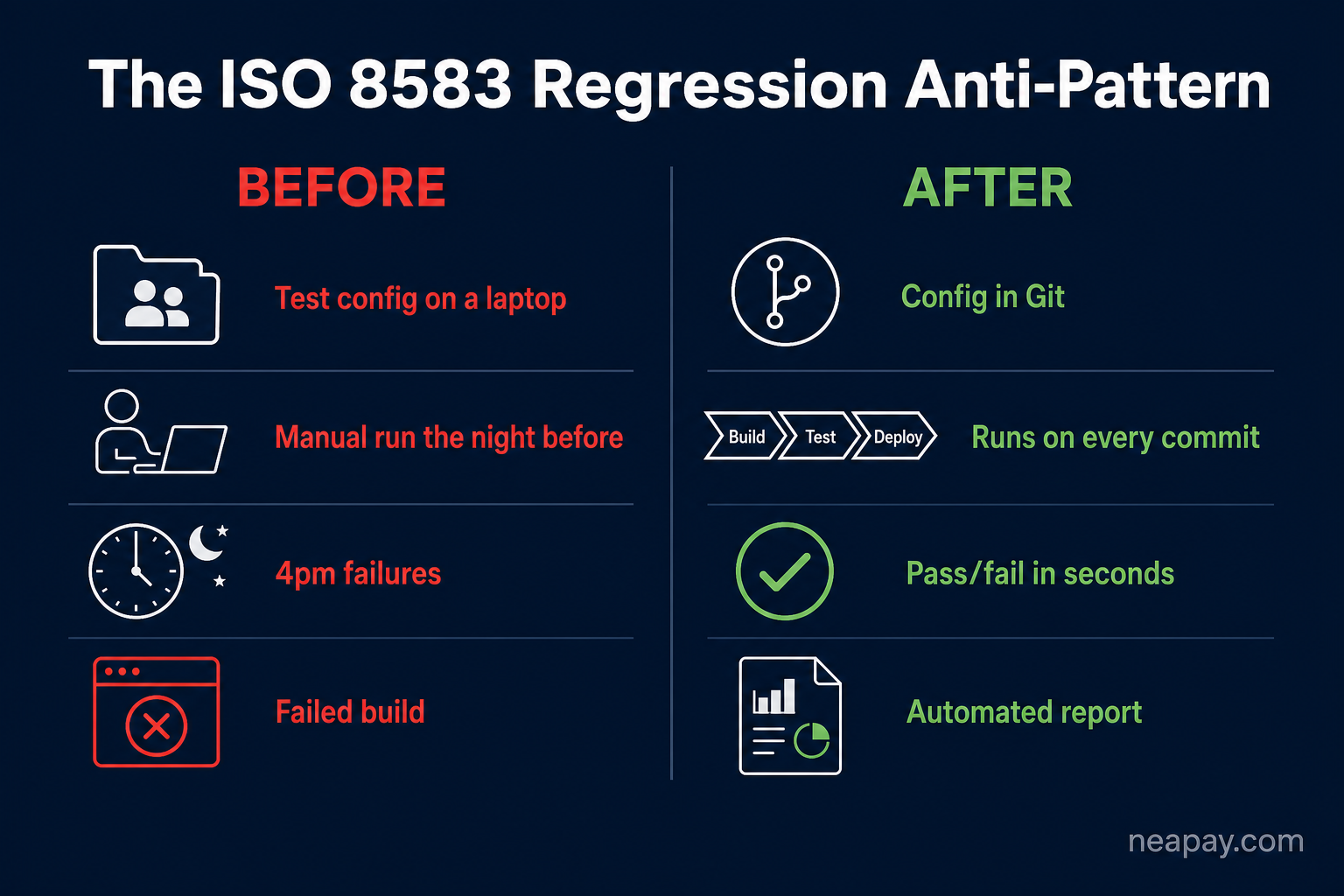
ISO8583 Simulator 2868 views
ISO8583 Simulator 3193 views
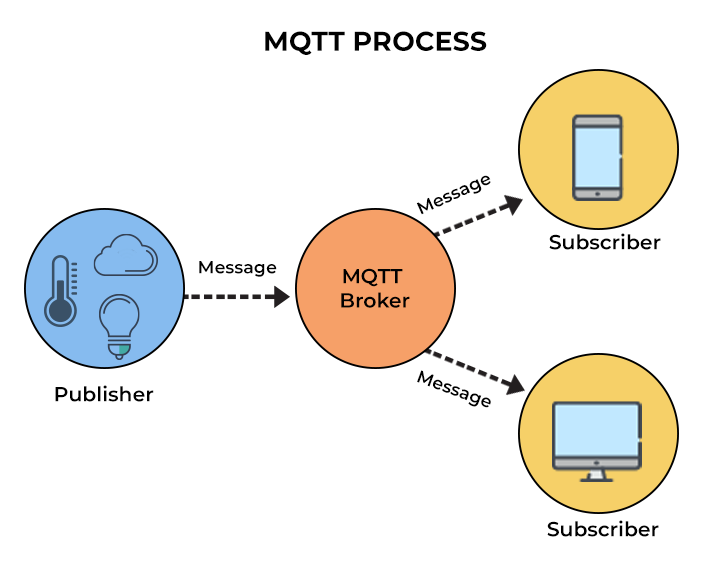
ISO8583 Converter 3501 views
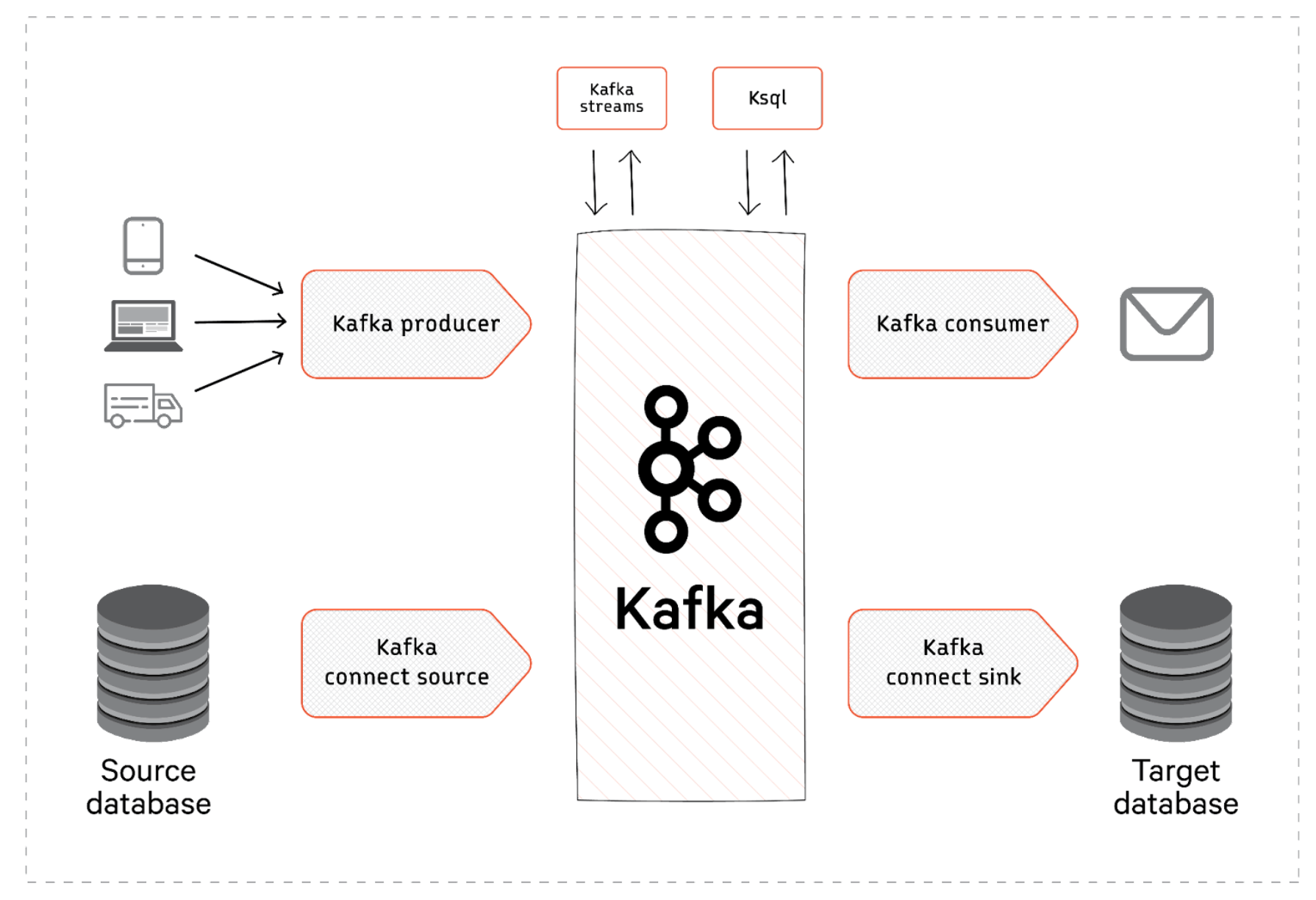
ISO8583 Converter 3525 views
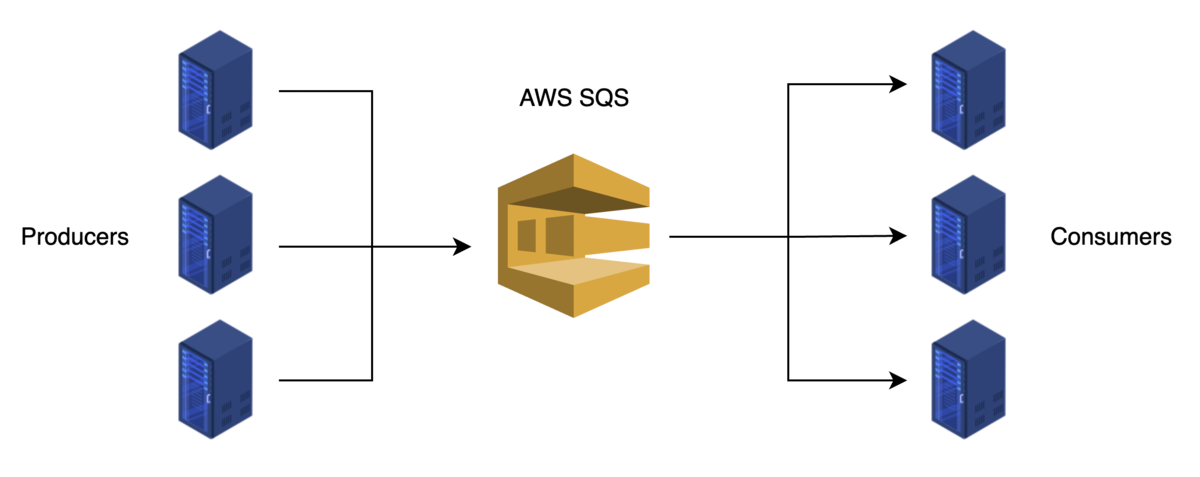
ISO8583 Converter 3605 views
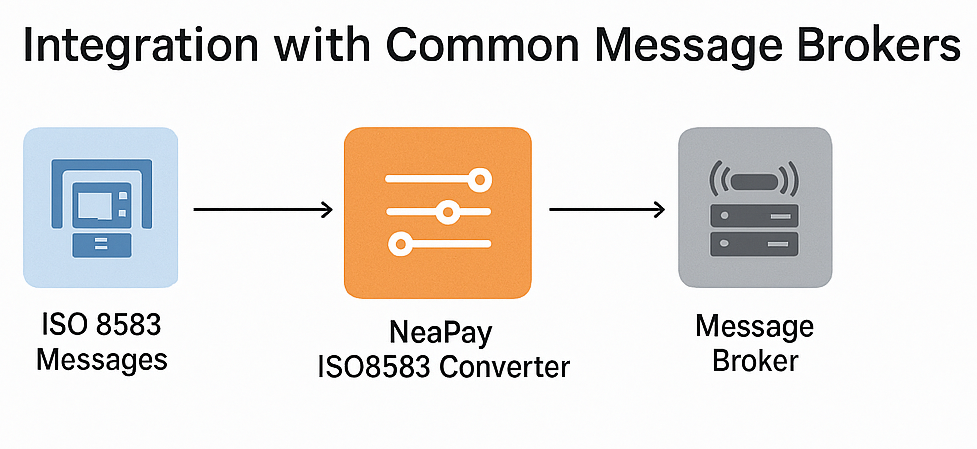
ISO8583 Converter 3628 views
ISO8583 Converter 3819 views
ISO8583 Converter 4861 views
Convert ISO8583 to rest-api JSON XML SQL &more
Integrate ISO8583 card schemes and hosts
Convert and integrate ISO20022 SWIFT MX with MT , ISO8583
Most simple solution to build and parse ISO8583 messages
ISO8583 or REST-api Switch Router Bin Amount
Pre-screen, pre-authorize and Authorize cards and ledger
Acquiring and Aggregating from POS and other devices
Generate and export card data for cards issuing and test
ISO8583 HISO98 HISO87 simulator
ISO20022 & SWIFT simulator
POS protocols simulator
Mobile Banking Testing Simulator
EMV QR Payments Interface Connector
Micropayments Acquiring Connector & Router
Detect Anomalies, Alerts & Notifications
Generate Convert Import
Get a free quote, Ask for details
Get help
Read Documentation and Start guides
Online Tools Overview