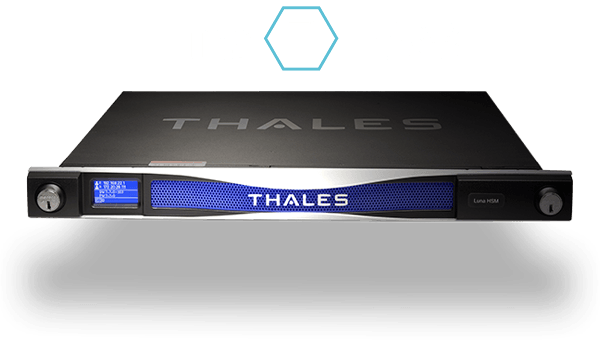
Goal
Integrate NeaPay ISO8583 Converter with a Hardware Security Module (HSM) to handle PIN translation, key management, and cryptographic operations securely, ensuring PCI DSS compliance.
Functions in Scope
- Functions to support:
- PIN block generation and validation (ISO 9564 formats).
- PIN translation between different encryption keys.
- Key management (LMK, ZMK, TMK, working keys).
- MAC generation and verification.
- Secure key exchange with payment networks.
Technical Prerequisites
- Access to HSM hardware or cloud HSM (e.g., Thales, Atalla, AWS CloudHSM).
- Vendor SDK or API documentation for cryptographic commands.
- PCI DSS-compliant environment (secure network, encrypted storage).
- Key management policies (dual control, key rotation schedule).
Architecture Design
- NeaPay ISO8583 Converter → HSM Adapter → HSM
- Converter parses ISO8583 message and extracts sensitive fields (PIN, keys).
- HSM Adapter formats requests according to vendor protocol.
- HSM performs cryptographic operations and returns results securely.
Integration Plan
-
HSM Adapter Module
- Integrate vendor-specific commands (e.g.,
Generate PIN,Translate PIN,Generate MAC). - Support multiple protocols (ANSI X9.24, ISO 11568).
- Integrate vendor-specific commands (e.g.,
-
Secure Communication
- Use TLS for network HSM or direct PCI-compliant cable for hardware.
- Implement mutual authentication and session keys.
-
Key Management
- Store LMK securely inside HSM.
- Implement key loading procedures (ZMK/TMK).
- Add key rotation and audit logging.
-
Integration with NeaPay ISO8583 Converter
- Functionality of neapay converter to call HSM adapter for PIN and MAC operations.
- Ensure sensitive data never leaves secure memory unencrypted.
-
Testing
- Simulate PIN translation between two networks.
- Validate MAC generation against network specs.
- Perform compliance tests (PCI DSS, ANSI X9).
Security & Compliance
- Enforce dual control for key loading.
- Enable audit trails for all cryptographic operations.
- Mask PAN and PIN in logs.
- Regular penetration testing and vulnerability scans.
Deployment
- Deploy HSM adapter as a microservice or embedded module.
- Configure high availability (HA) for HSM cluster.
- Monitor performance and error rates.
KPIs
- Latency:
- Compliance: Zero PCI DSS violations.
- Reliability: 99.99% uptime for HSM operations.
Here’s a comprehensive list of common HSM integrations, their purpose, examples, and brief code snippets:
1. PIN Block Generation NeaPay ISO8583 Converter
- Purpose: Create encrypted PIN blocks for cardholder authentication (ISO 9564 formats like 01, 02, 03).
- Example Use Case: ATM PIN entry → PIN block sent to issuer for validation.
- Code Snippet (Java):
String pin = "1234";
String pan = "1234567890123456";
String pinBlock = generatePinBlock(pin, pan); // Format 01
byte[] encryptedPinBlock = hsm.encryptPinBlock(pinBlock, lmk);
2. PIN Translation
- Purpose: Translate PIN block from one key to another (e.g., ZPK to LMK) during network routing.
- Example Use Case: Acquirer → Switch → Issuer.
- Code Snippet:
byte[] translatedPinBlock = hsm.translatePinBlock(encryptedPinBlock, zpk, lmk);
3. Key Management
- Purpose: Load, store, and rotate keys securely (LMK, ZMK, TMK, working keys).
- Example Use Case: Key exchange between payment switch and HSM.
- Code Snippet:
hsm.loadKey("ZMK", zmkValue);
hsm.generateWorkingKey("ZPK");
4. MAC Generation & Verification
- Purpose: Ensure message integrity by generating and verifying Message Authentication Codes.
- Example Use Case: ISO8583 message authentication for financial transactions.
- Code Snippet:
byte[] mac = hsm.generateMac(isoMessageBytes, macKey);
boolean isValid = hsm.verifyMac(isoMessageBytes, macKey, receivedMac);
5. Data Encryption/Decryption
- Purpose: Encrypt sensitive fields (PAN, CVV) or decrypt for processing.
- Example Use Case: Secure storage or transmission of card data.
- Code Snippet:
byte[] mac = hsm.generateMac(isoMessageBytes, macKey);
boolean isValid = hsm.verifyMac(isoMessageBytes, macKey, receivedMac);
6. Key Exchange Protocols
- Purpose: Securely exchange keys between systems using ZMK or RSA.
- Example Use Case: Initial setup between issuer and acquirer.
- Code Snippet:
byte[] encryptedKey = hsm.exportKeyUnderZMK(workingKey, zmk);
7. CVV/CVC Validation
- Purpose: Validate card verification values during authorization.
- Example Use Case: Online transaction validation.
- Code Snippet:
boolean isValidCVV = hsm.verifyCVV(pan, expiryDate, cvv, cvk);Integration Flow
NeaPay ISO8583 Converter → HSM Adapter → HSM → Return cryptographic results to ISO8583 message.
List of common HSM operations, their command formats, and examples:
1. PIN Block Generation NeaPay ISO8583 Converter
- Purpose: Create encrypted PIN blocks for cardholder authentication.
- Command Format (ANSI X9.24 / Thales):
BA
- Example:
BA 1234 1234567890123456 01 LMK
- Result: Encrypted PIN block under LMK.
2. PIN Translation
- Purpose: Translate PIN block from one key to another (e.g., ZPK → LMK).
- Command Format:
CA
- Example:
CA ZPK LMK
- Result: PIN block encrypted under LMK.
3. Key Management
- Purpose: Load, store, and rotate keys securely.
- Command Format:
A6
- Example:
A6 ZMK LMK
- Result: ZMK loaded under LMK.
4. MAC Generation
- Purpose: Generate Message Authentication Code for ISO8583 message.
- Command Format:
M0
- Example:
M0
- Result: MAC value returned.
5. MAC Verification
- Purpose: Verify MAC integrity.
- Command Format:
M1
- Example:
M1
- Result: Success or failure code.
6. Data Encryption/Decryption
- Purpose: Encrypt or decrypt sensitive fields.
- Command Format:
E0
- Example:
E0 <PAN/CVV>
- Result: Encrypted data.
7. Key Export/Import
- Purpose: Secure key exchange using ZMK.
- Command Format:
A8
- Example:
A8 ZPK ZMK
- Result: Working key encrypted under ZMK.
8. CVV/CVC Validation
- Purpose: Validate card verification values.
- Command Format:
CV
- Example:
CV 1234567890123456 2506 123 CVK
- Result: Valid or invalid response.
Brief Java Snippet for HSM Command Execution NeaPay ISO8583 Converter
String command = "M0 " + isoMessageHex + " " + macKey;
String response = hsm.sendCommand(command);
System.out.println("MAC: " + response);
Mapping table of ISO8583 fields to HSM operations, including what each field requires and the relevant HSM command:
ISO8583 Field → HSM Operation Mapping
| ISO8583 Field | Purpose | HSM Operation | Command Example |
|---|---|---|---|
| Field 2 (PAN) | Card number used for PIN block formatting and CVV validation | Data Encryption / CVV Validation | CV |
| Field 3 (Processing Code) | Indicates transaction type; used for MAC generation context | MAC Generation | M0 |
| Field 4 (Amount) | Included in MAC calculation for integrity | MAC Generation | M0 |
| Field 35 (Track 2 Data) | Sensitive card data; must be encrypted | Data Encryption | E0 |
| Field 52 (PIN Block) | Cardholder authentication | PIN Block Generation / Translation | BA |
| Field 53 (Security Control Info) | Indicates cryptographic requirements | Key Management | A6 |
| Field 64 (MAC) | Message integrity | MAC Generation / Verification | M0 (generate), M1 (verify) |
| Field 55 (ICC Data) | EMV cryptograms; may require encryption | Data Encryption | E0 |
Common Operations and Their ISO8583 Context
- PIN Block Generation → Field 52 (PIN Data)
- PIN Translation → When routing between networks (Field 52)
- MAC Generation → Fields 2, 3, 4, 11, 41, 42, etc.
- Data Encryption → Fields 35, 55 (Track and ICC data)
- CVV Validation → Field 2 (PAN) + Expiry + CVV
- Key Management → Field 53 (Security Info)
Example Flow
- Receive ISO8583 message with PIN (Field 52) and PAN (Field 2).
- Generate MAC for message integrity using
M0. - Translate PIN block if routing to another network using
CA. - Encrypt Track 2 data before forwarding using
E0.
Here’s a step-by-step guide for how NeaPay ISO8583 Converter calls HSM commands during an authorization transaction:
Scenario
An authorization request from an ATM or POS arrives as an ISO8583 message. It contains:
- Field 2: PAN
- Field 52: PIN block
- Field 64: MAC
- Other fields: Amount, Terminal ID, etc.
The goal is to:
- Validate PIN.
- Verify MAC.
- Ensure message integrity.
- Forward to issuer securely.
Step 1: Parse ISO8583 Message NeaPay ISO8583 Converter
- NeaPay Converter parses the incoming message using its ISO8583 template.
- Extract sensitive fields:
PAN(Field 2)PIN Block(Field 52)MAC(Field 64)- Transaction data for MAC verification.
Step 2: Verify MAC
- Why: Ensure message integrity before processing.
- HSM Command:
M1
- Process:
- Converter assembles MAC data (fields 2, 3, 4, 11, 41, 42).
- Sends
M1command to HSM. - If MAC fails → reject transaction.
Step 3: Validate PIN
- Why: Authenticate cardholder.
- HSM Command:
CA
- Process:
- Converter sends PIN block and PAN to HSM.
- HSM decrypts PIN block under LMK and validates against issuer key.
- If PIN invalid → reject transaction.
Step 4: Generate New MAC for Forwarding
- Why: Ensure integrity when sending to issuer.
- HSM Command:
M0
- Process:
- Converter rebuilds ISO8583 message for issuer.
- Calls HSM to generate MAC.
- Inserts MAC into Field 64.
Step 5: Optional – Encrypt Sensitive Data
- Why: Protect Track 2 or ICC data.
- HSM Command:
E0
- Process:
- Converter encrypts Track 2 before forwarding.
Step 6: Forward to Issuer
- After cryptographic operations:
- Converter sends ISO8583 message to issuer host.
- Logs transaction securely (mask PAN, PIN).
Step 7: Response Handling
- When issuer responds:
- Verify MAC using
M1. - If approved, forward to terminal with proper MAC and encryption.
- Verify MAC using
// Verify MAC
String macCommand = "M1 " + isoMessageHex + " " + macKey + " " + receivedMac;
String macResponse = hsm.sendCommand(macCommand);
if (!macResponse.equals("00")) rejectTransaction();

// Validate PIN
String pinCommand = "CA " + encryptedPinBlock + " " + zpk + " " + lmk;
String pinResponse = hsm.sendCommand(pinCommand);
if (!pinResponse.equals("00")) rejectTransaction();

// Generate MAC for forwarding
String newMacCommand = "M0 " + isoMessageHex + " " + macKey;
String newMac = hsm.sendCommand(newMacCommand);
isoMessage.setField(64, newMac);
Architecture for NeaPay ISO8583 Converter + HSM Integration
Components:
- Payment Terminal / ATM / POS
- Sends ISO8583 authorization request.
- NeaPay ISO8583 Converter
- Parses ISO8583 message.
- Extracts sensitive fields (PIN, PAN, MAC).
- Calls HSM for cryptographic operations.
- HSM Adapter (Microservice or Embedded Module)
- Formats commands for HSM (e.g.,
M0,M1,CA,BA). - Handles secure communication (TLS or direct PCI link).
- Formats commands for HSM (e.g.,
- Hardware Security Module (HSM)
- Performs PIN validation, MAC generation/verification, key management.
- Stores LMK and cryptographic keys securely.
- Issuer Host
- Receives validated and secured ISO8583 message.
- Audit & Logging System
- Logs non-sensitive data for compliance.
- Masks PAN and PIN.
Flow:
- Step 1: Terminal → ISO8583 message → NeaPay Converter.
- Step 2: Converter → HSM Adapter → HSM for:
- MAC verification (
M1). - PIN validation (
CA). - MAC generation for forwarding (
M0).
- MAC verification (
- Step 3: Converter updates ISO8583 message with new MAC.
- Step 4: Forward to Issuer Host.
- Step 5: Response processed similarly (MAC verification, optional PIN translation).
- Step 6: Secure logging and compliance checks.