Enabling traces in the ISO8583 Payments Simulator, just like the ISO8583 message converter and the ISO8583 Host, is a call to the system core to write additional data. This will, most of the times, show raw data (binary data is dumped as hex) for better understanding what is going on, what data is actually being used.
Most importantly, enabling traces shows dumps of TCP traffic or actual data being written to files, queries do database and so on. This is to verify that you are sending the correct data.
Enabling traces is done at script level, as everything else.
Enabling Acquirer traces
In the Acquirer Simulator, open script "script_acquirer.js".
or in script "script_logging.js".
In order to activate or deactivate them, lookup, the following two lines:
setTransmissionTrace(false);
setTransmissionTraceCsv(false);
It is ideal, in test situations, to have tracing off, so you can obtain better test logs.
In order to activate TCP tracing, set the parameter to true:
setTransmissionTrace(true);
setTransmissionTraceCsv(false);

In order to activate also test case tracing, set the parameter to true:
setTransmissionTrace(true);
setTransmissionTraceCsv(true);
Enabling Issuer traces
In the Acquirer Simulator, open script "script_issuer.js".
or in script "script_logging.js".
In order to activate or deactivate them, lookup, the following two lines:
setTransmissionTrace(false);
setTransmissionTraceCsv(false);
It is ideal, in test situations, to have tracing off, so you can obtain better test logs.
In order to activate TCP tracing, set the parameter to true:
setTransmissionTrace(true);
setTransmissionTraceCsv(false);

In order to activate also test case tracing, set the parameter to true:
setTransmissionTrace(true);
setTransmissionTraceCsv(true);
setTransmissionTrace
setTransmissionTrace(true); enables tracing for all transmission traffic.
setTransmissionTraceCsv
setTransmissionTraceCsv(false); forces an additional checks and can disable tracing for csv messages.
This is helpful when you do not want to see communication with test data files, but you are tracing only tcp/ip data.
Instances tracing
Instances of the Acquirer or Issuer (or, in general, of the simulator) have their own settings, so if you have an Acquirer, Switch, Issuer, Logger setup, you need to enable tracing in each of them separately, independently.
Traces are required to be active when asking for support.
Are traces enabled?
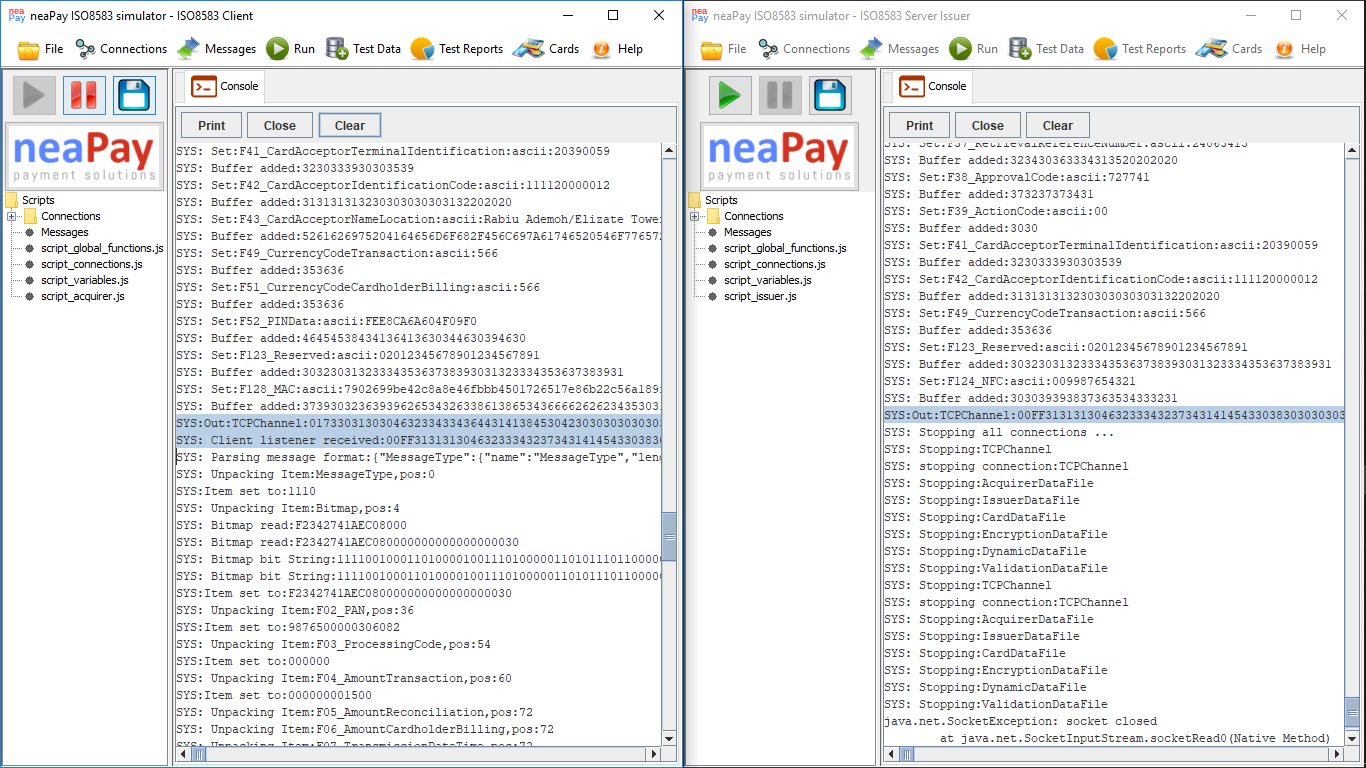
The best way to check if you have traces enabled is to look up TCP raw traffic data. Any instance of the neaPay Core, may it be a simulator (Acquirer/Issuer/Switch), a message converter, a host for devices or a card Issuer, will output TCP traffic like this to the logging system:
SYS:Out:TCPChannel:017330313030463233433436443141384530423030303030...
SYS:Client listener received:017330313030463233433436443141384530423030303030...
In the Payments Simulator UI you should see it like this: