neapay ISO8583 simulator is the definitive tool for all test automation needs
The Automated Testing Process
Automation streamlines the traditionally complex and repetitive task of creating, sending, and validating ISO 8583 messages.
-
Test Case Design: Testers define scenarios based on business requirements (e.g., a successful purchase, a PIN error decline, an invalid card number). For each scenario, the input ISO 8583 message (the request) and the expected output ISO 8583 message (the response) are precisely defined, including the exact MTI, bitmap, and values for all relevant Data Elements.
-
Test Script Creation: Automated testing tools are used to create scripts that can:
-
Construct the complex binary or text-based ISO 8583 request message (often using a configurable packager).
-
Establish a connection (typically TCP/IP) with the system under test (e.g., a payment switch or an issuing/acquiring host).
-
Send the request message to the target system.
-
Receive the response message.
-
-
Execution and Validation:
-
The scripts automatically execute the test cases, often reading test data (like card numbers, amounts, or test conditions) from an external source (e.g., a spreadsheet or database) to perform data-driven testing.
-
The tools automatically parse the received ISO 8583 response message.
-
The actual response is compared against the expected response defined in the test case. This validation checks that the correct MTI was returned, the appropriate response code is present, and all other required Data Elements (like the transaction reference number) have the correct values and format.
-
-
Reporting: Automated tools generate reports detailing which test cases passed and which failed, helping testers quickly identify defects.
Benefits of ISO8583 Test Automation
Automating ISO 8583 functional testing provides significant advantages:
| Benefit | Description |
| Speed and Efficiency | Tests run much faster and can be executed 24/7 without manual intervention, allowing for quicker feedback in the development cycle. |
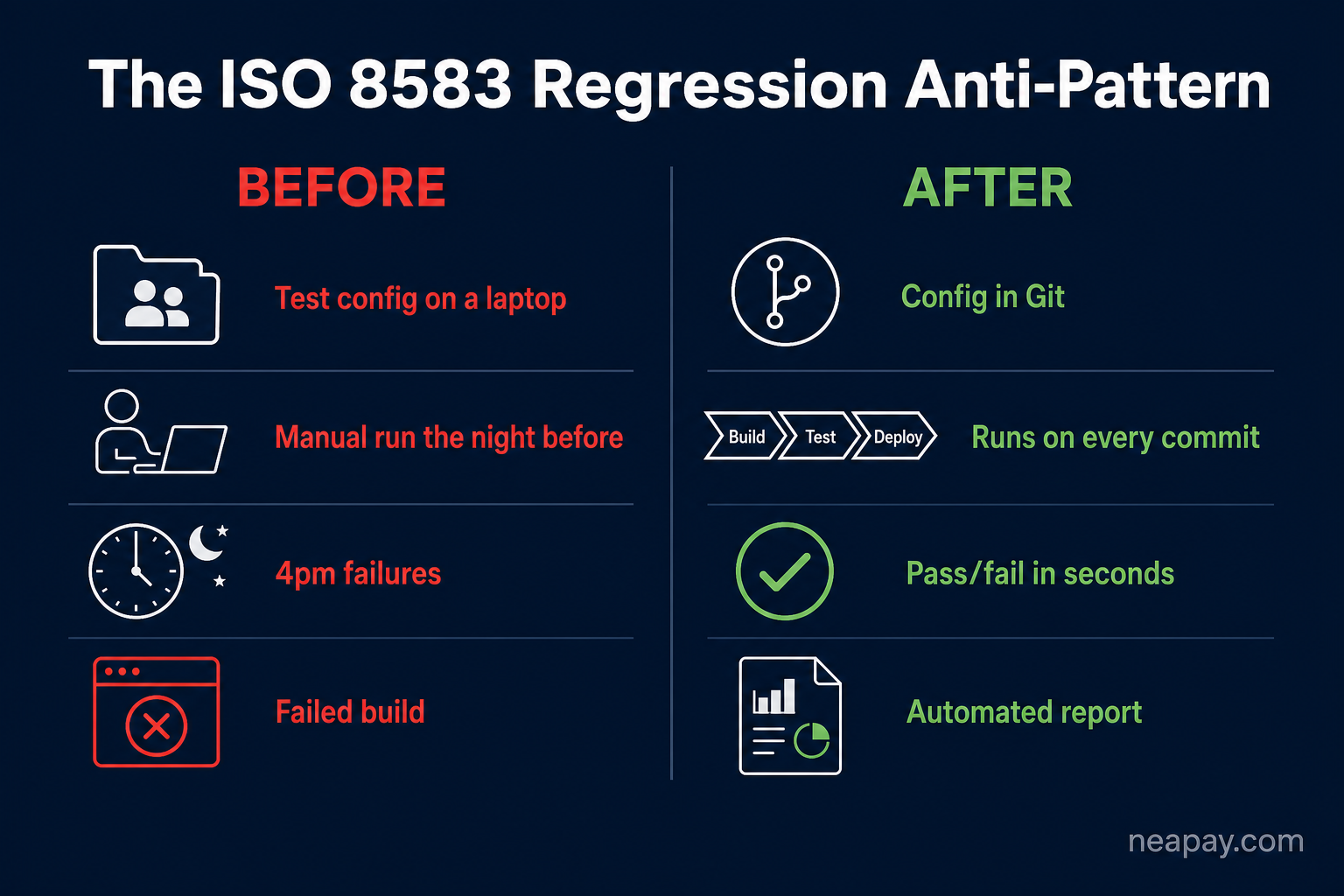
| Repeatability | The exact same test with the exact same data can be run consistently many times, which is essential for Regression Testing—ensuring new code changes haven't broken existing functionality. |
| Coverage | It allows for the creation and execution of a vast number of test cases and permutations (valid, invalid, edge-case data), achieving much higher test coverage than is practical manually. |
| Simulation | Testing tools often act as an ISO 8583 simulator, virtualizing other parts of the payment ecosystem (like an ATM, POS terminal, or the issuing bank's host). This enables testing the component in isolation and simulating various external conditions. |
| Cost Reduction |
Reduces the time and human effort required for repetitive testing, lowering the overall quality assurance cost. |
Automated ISO8583 Functional Testing
Functional testing validates that the payment system correctly processes specific transaction types according to business rules (e.g., an ATM withdrawal should debit the correct account and return the correct response code).
| Step | Description |
| 1. Define Test Scenarios | Based on specifications (use cases), define the complete set of transaction flows: successful purchases, various decline scenarios (e.g., insufficient funds, expired card, invalid PIN), balance inquiries, and reversals. |
| 2. Create Test Messages | Use an ISO 8583 testing tool/simulator to construct the precise request messages (MTIs, Bitmaps, and Data Elements). For example, to test a successful authorization, you set the MTI to '0100', populate Data Elements like Card Number (DE 2), Amount (DE 4), and Terminal ID (DE 41). |
| 3. Execute and Validate | The tool sends the structured ISO 8583 request to the system under test (SUT) over a TCP/IP connection. The tool then automatically parses the SUT's response (e.g., MTI '0110'). It validates that the response is correct: the required Data Elements are present, and their values match the expected result (e.g., Response Code '00' for approval, and the correct account balance update is verified, often via a separate database check). |
| 4. Data-Driven Testing | Functional tests often use external data sources (like spreadsheets or databases) to iterate through hundreds of unique scenarios, such as testing every possible response code or various card types (Visa, Mastercard, etc.). |
Automated ISO8583 Regression testing
Regression testing ensures that new features, bug fixes, or system upgrades have not inadvertently broken any previously working functionality.
| Step | Description |
| 1. Build the Regression Suite | The comprehensive set of Functional Test Cases developed previously becomes the Regression Test Suite. This suite must cover all core business workflows and critical transaction paths. |
| 2. Automate Execution | The entire suite is designed to run automatically and unattended. Automation is non-negotiable for regression testing to ensure quick turnaround times after every code change. |
| 3. Baseline Comparison | The core of regression testing is comparison. After a code change, the automated process executes the entire suite and compares the newly generated response messages (or system states) against a stored baseline (the responses from the last successful test run). |
| 4. Report Discrepancies | The automation tool flags any difference in the response message (a missing Data Element, an incorrect response code, a different MTI, etc.) as a regression failure, requiring immediate investigation. This ensures existing functions remain stable. |
Automated ISO8583 Performance testing
Performance testing, specifically load and stress testing, determines how the payment system behaves under expected and peak transaction volumes, measuring transaction throughput and response times.
| Step | Description |
| 1. Scenario and Data Generation | Define the desired load profile (e.g., 500 Transactions Per Second - TPS). Use a performance testing tool to generate a massive volume of realistic ISO 8583 test data (different transaction types, amounts, and card numbers) to prevent caching issues and accurately simulate real-world traffic. |
| 2. Load Injection (High Volume) | The tool acts as a high-volume load generator (simulating thousands of ATMs/POS terminals) that opens and manages many concurrent TCP/IP connections. It bombards the SUT with ISO 8583 requests at the defined rate. |
| 3. Monitoring and Analysis | The tool measures key metrics: Transaction Per Second (TPS) throughput, latency (end-to-end transaction time), and error rates (e.g., connection drops, timeouts). It monitors resource utilization (CPU, memory, network I/O) on the SUT to identify bottlenecks. |
| 4. Stress Testing | The load is gradually increased beyond normal limits until the system breaks or response times become unacceptable. This determines the system's absolute capacity and failure point. |
Automated ISO8583 CICD integration
Continuous Integration/Continuous Delivery (CI/CD) integration involves running automated tests as a standard part of the software delivery pipeline, ensuring code quality with every commit.
| Step | Description |
| 1. Select Automation Tool | Use a testing tool or a script (e.g., via command line) that can be executed without a Graphical User Interface (GUI). This is essential for server-side automation. |
| 2. CI/CD Trigger | Configure the CI/CD pipeline (e.g., Jenkins, GitLab, Azure DevOps) to automatically trigger a job upon a code commit or build completion. |
| 3. Test Environment Setup | The pipeline first deploys the latest version of the payment application into a dedicated, isolated test environment (e.g., a container or virtual machine). |
| 4. Execute Automated Tests | The CI/CD job calls the ISO 8583 testing tool to execute a subset of the most critical automated tests, typically a Smoke Test (a quick check of basic functions) and the full Regression Suite. Performance tests are often run overnight or as a separate, scheduled job. |
| 5. Feedback and Gate | The CI/CD pipeline collects the test execution results. If all critical tests pass, the pipeline proceeds (e.g., merges the code or deploys to a staging environment). If tests fail, the pipeline is gated (stopped), and immediate feedback is sent to the developer for a fix, enforcing quality control. |
| 6. Artifact Generation | Test reports (e.g., in JUnit or HTML format) are stored as build artifacts for historical tracking and auditing. |
Automate execution modes
- Smoke (few happy paths per interface),
- Functional (full matrix, including negatives and malformed field cases),
- Scenario (multi‑step flows—purchase → reversal → advice),
- Regression (baselining compare before/after changes),
- Performance/Load with neaPay ISO8583 simulator’s load mode). Simulators provide baseline/compare and parallel execution;