Unmasking the Message: How DCC Works in ISO 8583 Payments
When you use your credit card abroad, you're often asked a simple question at the point of sale (POS) terminal: "Would you like to pay in your home currency (e.g., USD) or the local currency (e.g., EUR)?"
This is Dynamic Currency Conversion (DCC). Choosing your home currency might seem convenient, but it triggers a complex and often costly process behind the scenes. The backbone for this entire transaction is a messaging standard called ISO 8583. This article breaks down exactly how DCC operates within the technical language of a payment network.
What is ISO 8583?
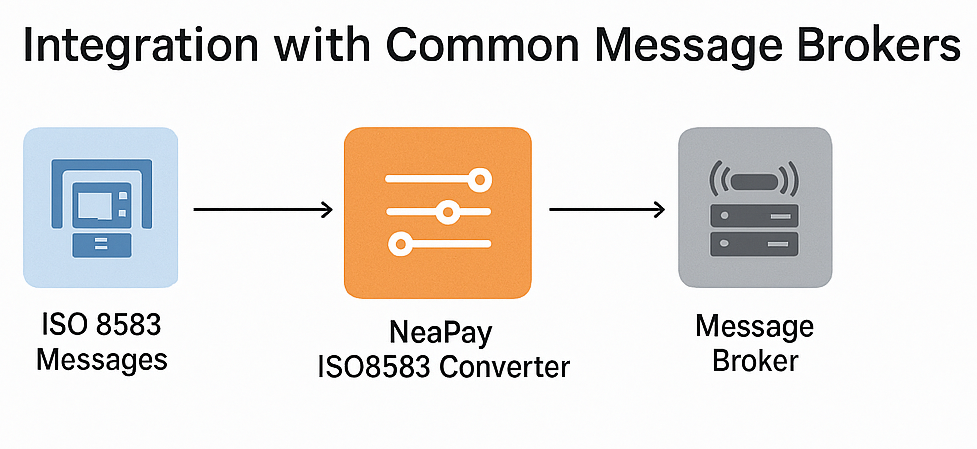
Think of ISO 8583 as the universal grammar for payment systems. It's not a piece of software but a standard message format used by POS terminals, acquirers (the merchant's bank), card networks (like Visa and Mastercard), and issuers (your bank) to talk to each other.
An ISO 8583 message is not human-readable. It's a compact string of data containing three main parts:
-
Message Type Indicator (MTI): A four-digit code that defines the message's purpose (e.g.,
0100for an authorization request,0110for an authorization response). -
Bitmaps: A "table of contents" that indicates which data fields are present in this specific message.
-
Data Elements (DEs): The fields themselves, each with a specific number (from 1 to 128), containing the actual transaction data like the amount, card number, and merchant name.
The Two-Stage DCC Process
The DCC process happens in two distinct stages: The Offer (at the terminal) and The Authorization (using ISO 8583).
Stage 1: The DCC Offer (Before ISO 8583)
Before any ISO 8583 message is sent to your bank, the payment terminal (or the merchant's acquirer) must first determine if your card is eligible for DCC and what exchange rate to offer.
-
Card Identification: You dip, swipe, or tap your card. The terminal reads the BIN (Bank Identification Number), the first 6-9 digits of your card number.
-
DCC "Look-up": The terminal or its payment gateway sends a non-ISO 8583 request (often a separate API call) to a DCC provider. This request contains the BIN and the transaction amount in the local currency (e.g., 100 EUR).
-
Rate Retrieval: The DCC provider identifies your card's home currency (e.g., USD) from the BIN. It then calculates a retail exchange rate, which includes the base rate plus a significant markup (this markup is the DCC provider's and merchant's profit).
-
The Choice: The DCC provider sends this data back to the terminal, which then displays the choice:
-
Pay in Local Currency: 100.00 EUR
-
Pay in Home Currency: 112.00 USD (based on a 1.12 rate)
-
-
Cardholder Decision: You make your choice. This decision fundamentally changes the ISO 8583 message that is about to be built and sent.
Stage 2: The ISO 8583 Authorization
This is where your choice is communicated to your bank. We'll use an Authorization Request (0100 MTI) as the primary example.
Scenario A: You DECLINE DCC (You choose the Local Currency)
This is the standard, non-DCC transaction flow.
-
The terminal builds a
0100authorization request. -
The message's data elements are populated as follows:
-
DE 4 (Amount, Transaction): 100.00
-
DE 49 (Currency Code, Transaction): 978 (the ISO code for EUR)
-
-
The message is sent to your bank (the issuer).
-
Your bank sees the 100 EUR transaction. It approves the charge and performs its own currency conversion using its daily, more favorable wholesale rate (e.g., 1.10).
-
Your statement later shows a charge of $110.00 USD (plus any foreign transaction fee your bank charges).
Scenario B: You ACCEPT DCC (You choose your Home Currency)
This is where the ISO 8583 message becomes critically different. The terminal uses the information from the DCC provider to populate a special set of fields.
-
The terminal builds a
0100authorization request. -
The message's data elements are populated with both currencies:
-
DE 4 (Amount, Transaction): 100.00 (The local amount is always present)
-
DE 49 (Currency Code, Transaction): 978 (ISO code for EUR)
-
DE 6 (Amount, Cardholder Billing): 112.00
-
DE 51 (Currency Code, Cardholder Billing): 840 (ISO code for USD)
-
DE 10 (Conversion Rate, Cardholder Billing): 11200000 (The rate, e.g., 1.1200000, format varies by implementation)
-
-
The message is sent to your bank.
-
Your bank sees all five fields. The presence of DE 6, DE 51, and DE 10 acts as a flag. It tells the issuer, "A DCC conversion has already been performed by the merchant. The amount to bill the cardholder is 112.00 USD. Do not perform any further conversion."
-
Your bank approves the $112.00.
-
Your statement shows a charge of $112.00 USD. You have effectively paid $2.00 for the "convenience" of seeing the price in USD at the terminal.
Key Takeaway: The simple act of populating Data Elements 6, 10, and 51 in the ISO 8583 message is the technical switch that activates DCC, locking in the merchant's exchange rate and preventing your own bank from applying its (usually better) rate.
DCC in Clearing and Settlement
The process doesn't end at authorization. Later (usually at night), the merchant sends a "batch" of all its approved transactions to its acquirer. This is the clearing process, which uses different ISO 8583 messages (e.g., 0200 or 0210 Financial Presentment).
The same logic applies.
-
A non-DCC clearing record will only contain DE 4 and DE 49 (100 EUR).
-
A DCC clearing record will contain all the key DCC fields (DE 4, DE 49, DE 6, DE 51, and DE 10).
This ensures that the card networks and banks settle the correct amounts. The merchant's acquirer gets settled in the cardholder's currency (USD) from the network, takes its cut (including the DCC markup), and pays the merchant in the local currency (EUR). The cardholder is billed the exact USD amount they agreed to at the terminal.
By using these specific, standardized data elements, the ISO 8583 protocol provides a robust way for the entire payment ecosystem to handle the complex, multi-currency accounting required by DCC.